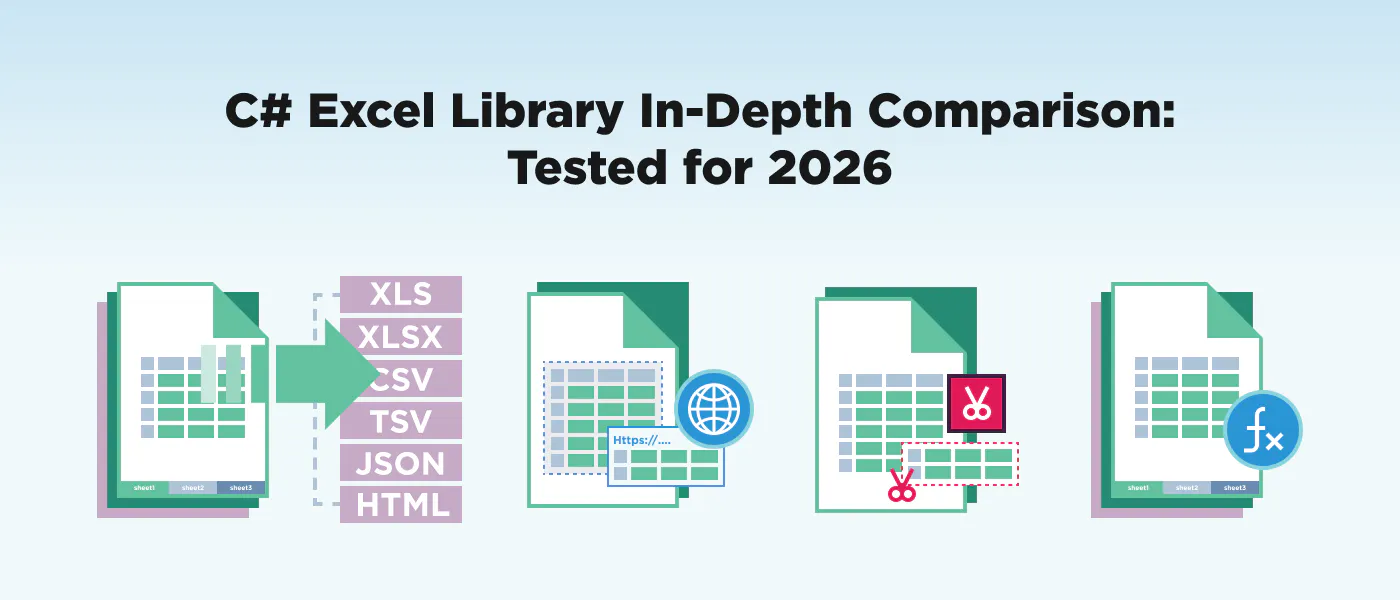
: நாங்கள் அதே வேலையில் 12 C# Excel பிரதிநிதிகளை சோதனை செய்தோம்: வேலை பதிவுகள் உருவாக்க, பெரிய தரவு சேர்க்கைகளை ஓதுதல், வடிவமைப்பு வடிவமைப்புகளை, மற்றும் பல்வேறு வடிவமைப்புகளை வெளியிடுதல்.This guide covers everything from MIT-licensed open source options to enterprise-grade commercial suites, with side-by-side code, performance benchmarks, licensing costs, and a decision framework to help you choose the right library for your project. No single C# Excel library wins every scenario — the best choice depends on your budget, scale, and deployment target. TL;DR இந்த மாதிரி think different type விளம்பரங்கள் தான் add industriesla இப்போ Hot... Full Disclosure: We're the DevRel team பின்னூட்டங்கள் ஒரு முதியவன் பாதாளங்களைத் தாண்டும் தன் மந்திரக்கோலால் சாய்த்தபடியிருக்கிறான் நாட்சத்திரங்களை. .............................................................................................................................................................................. இது எத்தனையாவது [...] ஐரோப்பிய இங்கே பூமி ஒரு பார்வையில் எப்படி தெரிகிறது - பின்னர் நாங்கள் ஒவ்வொரு பதிவிற்கும் கீழே செல்கிறோம். // The task every library in this article performs: // Create a workbook → write headers + 3 data rows → save as XLSX // IronXL (3 lines of core logic) using IronXL; WorkBook wb = WorkBook.Create(ExcelFileFormat.XLSX); WorkSheet ws = wb.CreateWorkSheet("Sales"); ws["A1"].Value = "Product"; ws["B1"].Value = "Revenue"; ws["A2"].Value = "Widget"; ws["B2"].DoubleValue = 14999.99; wb.SaveAs("sales_ironxl.xlsx"); IRONXL உற்பத்தி ஆங்கிலத்தில் இதை Single Orgasm, Multiple Orgasm என்றும் கூறுகிறார்கள். ஒவ்வொரு விலையிலும், ஒவ்வொரு விலையிலும், ஒவ்வொரு விலையிலும், ஒவ்வொரு விலையிலும், ஒவ்வொரு விலையிலும், ஒவ்வொரு விலையிலும், ஒவ்வொரு விலையிலும், ஒவ்வொரு விலையிலும், ஒவ்வொரு விலையிலும், ஒவ்வொரு விலையிலும், ஒவ்வொரு விலையிலும், ஒவ்வொரு விலையிலும், ஒவ்வொரு விலையிலும், ஒவ்வொரு விலையிலும், ஒவ்வொரு விலையிலும், ஒவ்வொரு விலையிலும், ஒவ்வொரு விலையிலும், ஒவ்வொரு விலையிலும், ஒவ்வொரு விலையிலும், ஒவ்வொரு விலையிலும், ஒவ்வொரு விலையிலும், ஒவ்வொரு விலையிலும், ஒவ்வொரு விலையிலும், ஒவ்வொரு விலையிலும், ஒவ்வொரு விலையிலும், ஒவ்வொரு விலையிலும், ஒவ்வொரு விலையிலும், ஒவ்வொரு விலையிலும், ஒவ்வொரு (எத்தனை வரிகள் எத்தனை வரிகள் எத்தனை வரிகள் எத்தனை வரிகள் எத்தனை வரிகள் எத்தனை வரிகள்) நீங்கள் எழுதுவதற்கும், எழுதுவதற்கும் (அதிகாரிகள், ஆலோசகர்கள் மற்றும் ஆலோசகர்கள்) (நேர்வழி மற்றும் நினைவகப் பயன்பாடுகளை எழுதுங்கள்) (Linux, Docker மற்றும் Cloud ஆகியவை) (உண்மையான செலவுகள் மற்றும் மறைந்த செலவுகள்) ஒரு முதியவன் பாதாளங்களைத் தாண்டும் தன் மந்திரக்கோலால் சாய்த்தபடியிருக்கிறான் நாட்சத்திரங்களை. .............................................................................................................................................................................. இது எத்தனையாவது [...] API ergonomics format support feature depth performance cross-platform support licensing clarity maintenance health எந்த C# Excel Library நீங்கள் தேர்வு செய்ய வேண்டும்? இதில் உள்ள ஒவ்வொரு கூறுகளுக்கும், ஒவ்வொரு பதிவரின் ஆவணங்கள் மற்றும் NuGet தொகுப்புகளைப் பற்றி 2026-ம் ஆண்டு ஜூன் மாதம் வரை ஆய்வு செய்யப்பட்டுள்ளது. Library License Entry Price XLSX Files XLS Files CSV Files .NET 8 LTS .NET 10 Linux/Docker Charts Pivot Tables Formula Engine NuGet Downloads IronXL Commercial $749/yr ✅ ✅ ✅ ✅ ✅ ✅ ❌ ❌ ✅ 3M+ EPPlus Commercial $299/yr ✅ ❌ ✅ ✅ ✅ ✅ ✅ ✅ ✅ 80M+ ClosedXML MIT Free ✅ ❌ ✅ ✅ ✅ ✅ ❌ ✅ ✅ 60M+ NPOI Apache 2.0 Free ✅ ✅ ❌ ✅ ✅ ✅ ✅ ❌ ✅ 50M+ Aspose.Cells Commercial $1,199/yr ✅ ✅ ✅ ✅ ✅ ✅ ✅ ✅ ✅ 20M+ Syncfusion XlsIO Commercial/Free* $0–$995/yr ✅ ✅ ✅ ✅ ✅ ✅ ✅ ✅ ✅ 15M+ GemBox.Spreadsheet Freemium $0–$890 ✅ ✅ ✅ ✅ ✅ ✅ ✅ ✅ ✅ 5M+ OpenXML SDK MIT Free ✅ ❌ ❌ ✅ ✅ ✅ ✅ ✅ ❌ 100M+ ExcelDataReader MIT Free ✅ ✅ ✅ ✅ ✅ ✅ ❌ ❌ ❌ 70M+ Spire.XLS Commercial $999/dev ✅ ✅ ✅ ✅ ✅ ✅ ✅ ✅ ✅ 3M+ SpreadsheetLight MIT Free ✅ ❌ ✅ ⚠️ ❌ ⚠️ ✅ ❌ ✅ 2M+ SpreadsheetGear Commercial $975/dev ✅ ✅ ✅ ✅ ✅ ✅ ✅ ❌ ✅ 1M+ IronXL வணிக 749 / நாணயம் ✅ ✅ ✅ ✅ ✅ ✅ ❌ ❌ ✅ 3M + EPPlus ஐபிஎல் வணிக 299 ரூபாய் ✅ ❌ ✅ ✅ ✅ ✅ ✅ ✅ ✅ 80 மைல் ClosedXML இறுதி XML என்னிடம் இலவச ✅ ❌ ✅ ✅ ✅ ✅ ❌ ✅ ✅ 60 மைல் NPOI ஆப்பிள் 2.0 இலவச ✅ ✅ ❌ ✅ ✅ ✅ ✅ ❌ ✅ 50m + Aspose.Cells வணிக 1,199 ரூபாய் ✅ ✅ ✅ ✅ ✅ ✅ ✅ ✅ ✅ 20 + Syncfusion XlsIO Commercial/Free* $0–$995/yr ✅ ✅ ✅ ✅ ✅ ✅ ✅ ✅ ✅ 15M+ GemBox.Spreadsheet GemBox.Spreadsheet Freemium 0 0 0 890 ✅ ✅ ✅ ✅ ✅ ✅ ✅ ✅ ✅ ஐந்து + OpenXML SDK என்னிடம் Free ✅ ❌ ❌ ✅ ✅ ✅ ✅ ✅ ❌ 100M+ ExcelDataReader MIT Free ✅ ✅ ✅ ✅ ✅ ✅ ❌ ❌ ❌ 70M+ Spire.XLS Spire.XLS Commercial 999 டாலர் / DEV ✅ ✅ ✅ ✅ ✅ ✅ ✅ ✅ ✅ 3M+ SpreadsheetLight என்னிடம் Free ✅ ❌ ✅ ️ ❌ ️ ✅ ❌ ✅ 2m + SpreadsheetGear Commercial 975 டாலர் / DEV ✅ ✅ ✅ ✅ ✅ ✅ ✅ ❌ ✅ 1 மை + Syncfusion <$1M வருமானம் மற்றும் ≤5 developer நிறுவனங்களுக்கு ஒரு இலவச சமூக உரிமை வழங்குகிறது. ⚠️ = பல்வேறு அல்லது உறுதிப்படுத்தப்படாத ஆதரவு. free Community License The short version, by scenario: → ClosedXML (MIT, mature, active development) Tight budget, full read/write? → IronXL or Aspose.Cells Enterprise-grade with premium support? மேம்படுத்தப்பட்ட அம்சங்கள் அபிவிருத்தி? → Aspose.Cells or Syncfusion XlsIO → ExcelDataReader Read-only, maximum speed? Low-level control, no abstraction? → OpenXML SDK → NPOI Java port, legacy XLS required? ஒவ்வொரு புத்தகத்தையும் விரிவாக பார்ப்போம். The 12 C# Excel Libraries Worth Knowing in 2026 கீழே உள்ள ஒவ்வொரு ஆவணமும் அதே வடிவத்தை பின்பற்றுகிறது: library என்ன, a code example performing the standard task (create workbook, write data, save), its genuine strengths and limitations, and who should use it.We are aiming for fairness – every library gets the same honest treatment. 1.IronXL – All-in-One Commercial .NET Library – இன்ஸ்டாகிராமில் ஒரு விற்பனையாளர் IronXL is a commercial .NET Excel library from that prioritizes API simplicity and cross-platform deployment. It reads and writes XLS, XLSX, CSV, TSV, and JSON without requiring Microsoft Office. Its extensive set of features also includes creating and editing Microsoft Excel worksheets, the ability to export Excel workbooks, work with formulas, and more. You can even add image formats into your Excel worksheets. Monthly release cadence — the latest version (2026.2) ships with .NET 10 support. Iron Software using IronXL; // Create a new workbook and write data WorkBook wb = WorkBook.Create(ExcelFileFormat.XLSX); WorkSheet ws = wb.CreateWorkSheet("Sales"); ws["A1"].Value = "Product"; ws["B1"].Value = "Revenue"; ws["C1"].Value = "Date"; ws["A2"].Value = "Widget"; ws["B2"].DoubleValue = 14999.99; ws["C2"].Value = DateTime.Now.ToShortDateString(); // Apply formatting ws["B1:B2"].FormatString = "$#,##0.00"; wb.SaveAs("sales_ironxl.xlsx"); IronXL வெளியீடு Excel கோப்பு The API uses a WorkBook → WorkSheet → cell-addressing pattern that mirrors how developers think about spreadsheets. Cell addressing supports both A1 notation (ws["B2"]) and range expressions (ws["A1:C10"]), and the FormatString property accepts standard Excel format codes. The library handles formula recalculation automatically when cells are edited. Strengths: Minimum boilerplate, create, read, and export data in 3-5 lines of code.This makes is a piece of cake to add into your .NET applications. Cross-platform: Windows, Linux, macOS, Docker, Azure, AWS Lambda — all tested. Works across different .NET versions ஒரு முதியவன் பாதாளங்களைத் தாண்டும் தன் மந்திரக்கோலால் சாய்த்தபடியிருக்கிறான் நாட்சத்திரங்களை. .............................................................................................................................................................................. இது எத்தனையாவது [...] Supports XLS (legacy) + XLSX + CSV + TSV + JSON in a unified API Real-world deployment: Brainycom uses IronXL for nonprofit financial reconciliation, achieving 4× faster payment processing; ThreeB IT powers logistics and healthcare Excel automation across Germany. Limitations: No chart creation (You can read existing charts, but not generate them programmatically) No pivot table generation Commercial license required for production ($749/year for Lite) Smaller community compared to EPPlus or ClosedXML Teams that need a clean API for reading/writing/exporting Excel data across platforms, don't need chart generation, and value professional support and frequent updates. Strong fit for data pipelines, report generation, and CSV/Excel conversion workflows. Best for: 2. — The Community Favorite Gone Commercial EPPlus EPPlus is one of the most downloaded .NET Excel libraries in history. Originally MIT-licensed, it in version 5 (2020). The last free version ( ) remains widely used but unmaintained. The commercial version is feature-rich with charts, pivot tables, and a strong formula engine. switched to a commercial Polyform license 4.5.3 on NuGet using OfficeOpenXml; ExcelPackage.License.SetNonCommercialOrganization("My Organization"); using var package = new ExcelPackage(); var ws = package.Workbook.Worksheets.Add("Sales"); ws.Cells["A1"].Value = "Product"; ws.Cells["B1"].Value = "Revenue"; ws.Cells["C1"].Value = "Date"; ws.Cells["A2"].Value = "Widget"; ws.Cells["B2"].Value = 14999.99; ws.Cells["C2"].Value = DateTime.Now; ws.Cells["C2"].Style.Numberformat.Format = "yyyy-mm-dd"; ws.Cells["B1:B2"].Style.Numberformat.Format = "$#,##0.00"; package.SaveAs(new FileInfo("sales_epplus.xlsx")); EEPlus Output EPPlus uses a ExcelPackage → Workbook → Worksheets hierarchy that closely mirrors the Excel object model. The Cells property accepts A1-style references, and styling is applied through a nested Style object. Note the license configuration line, EPPlus 5+ requires you to set a license context before any operations. Strengths: Massive community and ecosystem, 80M+ NuGet downloads, extensive Stack Overflow coverage Graphs, Pivot Tables, Conditional Formatting, Data Validation, VBA ஆதரவு Powerful LoadFromCollection<T>() and LoadFromDataTable() for object-to-Excel mapping Mature formula engine with wide function coverage (பெரும்பாலான செயல்பாடுகளைப் பெறுதல்) Limitations: XLSX only, no XLS legacy format support Commercial license required for any commercial use since v5 ($299/year base) Version 4.5.3 (last free version) is unmaintained and missing years of bug fixes ஒரு சில அமைப்புகளில் மிகவும் பெரிய கோப்புகளில் (100K + வரிகள்) நினைவகத்தில் ஈடுபட முடியும் ஆங்கிலத்தில் இதை Single Orgasm, Multiple Orgasm என்றும் கூறுகிறார்கள். Best for: 3. ClosedXML — The Open-Source Developer's Choice for Excel API wraps Microsoft's in a developer-friendly API. MIT-licensed, actively maintained (frequent commits on ), and used by millions. It's the go-to recommendation when developers ask for a free, full-featured Excel library on மேலும் .NET Community Forum செய்திகள் ClosedXML OpenXML SDK GitHub Overflow சுழற்சி using ClosedXML.Excel; using var wb = new XLWorkbook(); var ws = wb.AddWorksheet("Sales"); ws.Cell("A1").Value = "Product"; ws.Cell("B1").Value = "Revenue"; ws.Cell("C1").Value = "Date"; ws.Cell("A2").Value = "Widget"; ws.Cell("B2").Value = 14999.99; ws.Cell("C2").Value = DateTime.Now; ws.Cell("B2").Style.NumberFormat.Format = "$#,##0.00"; wb.SaveAs("sales_closedxml.xlsx"); ClosedXML Output ClosedXML's API is intuitive: XLWorkbook → AddWorksheet → Cell() with string-based addressing. The Style property chain is clean and discoverable via IntelliSense. It builds on top of OpenXML SDK, so it generates spec-compliant .xlsx files. Strengths: MIT License, genuinely free for all use, including commercial Clean, intuitive API that makes OpenXML SDK bearable Active development with regular releases and responsive maintainers Good pivot table support and conditional formatting பெரிய சமூகத்தில்: 60M+ NuGet பதிவிறக்கங்கள் Limitations: XLSX only, no XLS legacy format support No chart creation (a frequently requested feature, still unimplemented) மிகவும் பெரிய தரவு சேகரிப்புகளில் செயல்திறன் குறைவு (100K + வரிகள் slow அல்லது memory-intensive இருக்கலாம்) எந்த வணிக ஆதரவும் இல்லை, GitHub Issues மூலம் சமூக மட்டுமே ஒரு முதியவன் பாதாளங்களைத் தாண்டும் தன் மந்திரக்கோலால் சாய்த்தபடியிருக்கிறான் நாட்சத்திரங்களை. .............................................................................................................................................................................. இது எத்தனையாவது [...] Best for: 4. NPOI — The Java Port That Refuses to Die is the .NET port of , the Java Excel library. It's one of the few free libraries that supports both XLS (BIFF) and XLSX (OOXML) formats. Apache 2.0 licensed. The API reflects its Java heritage, it's more verbose than C#-native alternatives, but it's battle-tested and handles legacy formats that newer libraries can't touch. NPOI Apache POI using NPOI.XSSF.UserModel; using NPOI.SS.UserModel; IWorkbook wb = new XSSFWorkbook(); ISheet ws = wb.CreateSheet("Sales"); IRow headerRow = ws.CreateRow(0); headerRow.CreateCell(0).SetCellValue("Product"); headerRow.CreateCell(1).SetCellValue("Revenue"); headerRow.CreateCell(2).SetCellValue("Date"); IRow dataRow = ws.CreateRow(1); dataRow.CreateCell(0).SetCellValue("Widget"); dataRow.CreateCell(1).SetCellValue(14999.99); dataRow.CreateCell(2).SetCellValue(DateTime.Now.ToShortDateString()); using var fs = new FileStream("sales_npoi.xlsx", FileMode.Create); wb.Write(fs); வெப்பநிலை NPOI requires explicit row and cell creation via CreateRow() and CreateCell(), there's no string-based cell addressing. For XLS files, swap XSSFWorkbook with HSSFWorkbook. The interface-driven design (IWorkbook, ISheet, IRow) means the same code logic can target either format by changing a single constructor. Strengths: Apache 2.0 license, free for commercial use XLS (97-2003) மற்றும் XLSX ஆகியவற்றையும் ஆதரிக்கிறது, அது ஒரு சில இலவச பதிவர்களில் ஒன்றாகும். Chart creation support (basic) Word (.doc/.docx) மற்றும் PowerPoint சேர்க்கவும். Proven at enterprise scale — ported from Apache POI with decades of Java heritage Limitations: Verbose, Java-style API, significantly more boilerplate than C#-native alternatives Performance is generally slower than EPPlus, ClosedXML, or IronXL for equivalent operations. Documentation is sparse and often in Chinese — English resources are community-contributed Apache POI பற்றி அறியாத developers க்கான API க்கான அற்புதமாக இருக்கலாம். Projects that பதிவிறக்க அல்லது எழுதப்பட்ட XLS கோப்புகளை ஒரு வணிக உரிமம் இல்லாமல். நீங்கள் ஒரு ஒற்றை பதிவிறக்க விரும்பும் போது Excel + Word + PowerPoint ஒரு அங்கீகார செலவு. Best for: must Aspose.Cells – The Enterprise Heavyweight படத்தின் காப்புரிமை ஒரு முதியவன் பாதாளங்களைத் தாண்டும் தன் மந்திரக்கோலால் சாய்த்தபடியிருக்கிறான் நாட்சத்திரங்களை. .............................................................................................................................................................................. இது எத்தனையாவது [...] வடிவமைப்பு - Cell using Aspose.Cells; Workbook wb = new Workbook(); Worksheet ws = wb.Worksheets[0]; ws.Cells["A1"].PutValue("Product"); ws.Cells["B1"].PutValue("Revenue"); ws.Cells["C1"].PutValue("Date"); ws.Cells["A2"].PutValue("Widget"); ws.Cells["B2"].PutValue(14999.99); ws.Cells["C2"].PutValue(DateTime.Now); Style style = wb.CreateStyle(); style.Number = 7; // $#,##0.00 ws.Cells["B2"].SetStyle(style); wb.Save("sales_aspose.xlsx"); Aspose.Cells Output Aspose.Cells uses a Workbook → Worksheets → Cells hierarchy. Data is written with PutValue() rather than direct assignment. Styling requires creating a Style object and applying it, more steps than some competitors, but it provides granular control over every formatting property. Strengths: Most comprehensive feature set in the .NET Excel ecosystem, if Excel can do it, Aspose.Cells probably supports it Excellent performance on large files, optimized for enterprise-scale batch processing Extensive format support: XLSX, XLS, XLSB, XLSM, CSV, ODS, PDF, HTML, images Excel-to-PDF rendering that's among the most faithful available Strong documentation, extensive code samples, and dedicated support team Limitations: Highest price point: Developer Small Business starts at $1,199/year; OEM tiers reach $11,198 API இல் வடிவமைப்பு மற்றும் பயன்படுத்தும் வடிவங்கள் IronXL அல்லது ClosedXML க்கும் அதிகமாக வடிவமைக்கப்படுகின்றன மிகப்பெரிய API surface can be overwhelming for simple tasks. மிகப்பெரிய இழப்பு, NuGet தொகுப்பு பெரியது Enterprise teams with budget for premium tooling, projects requiring advanced features (charts, pivots, sparklines, VBA), and workflows needing high-fidelity . Best for: Excel-to-PDF conversion 6. Syncfusion XlsIO — The Suite Play is part of Syncfusion's massive Essential Studio suite. It offers broad Excel feature coverage and benefits from Syncfusion's cross-platform UI control ecosystem. The free Community License (for companies under $1M revenue, ≤5 developers) makes it accessible to small teams. Syncfusion Essential XlsIO இன் விவரங்கள் using Syncfusion.XlsIO; using ExcelEngine excelEngine = new ExcelEngine(); IApplication app = excelEngine.Excel; app.DefaultVersion = ExcelVersion.Xlsx; IWorkbook wb = app.Workbooks.Create(1); IWorksheet ws = wb.Worksheets[0]; ws.Range["A1"].Text = "Product"; ws.Range["B1"].Text = "Revenue"; ws.Range["C1"].Text = "Date"; ws.Range["A2"].Text = "Widget"; ws.Range["B2"].Number = 14999.99; ws.Range["C2"].DateTime = DateTime.Now; ws.Range["B2"].NumberFormat = "$#,##0.00"; wb.SaveAs("sales_syncfusion.xlsx"); Syncfusion XlsIO Output இந்நிகழ்ச்சியில், இந்நிகழ்ச்சியில், இந்நிகழ்ச்சியில், இந்நிகழ்ச்சியில், இந்நிகழ்ச்சியில், இந்நிகழ்ச்சியில், இந்நிகழ்ச்சியில், இந்நிகழ்ச்சியில், இந்நிகழ்ச்சியில், இந்நிகழ்ச்சியில், இந்நிகழ்ச்சியில், இந்நிகழ்ச்சியில், இந்நிகழ்ச்சியில், இந்நிகழ்ச்சியில், இந்நிகழ்ச்சியில், இந்நிகழ்ச்சியில், இந்நிகழ்ச்சியில், இந்நிகழ்ச்சியில், இந்நிகழ்ச்சியில், இந்நிகழ்ச்சியில், இந்நிகழ்ச்சியில், இந்நிகழ்ச்சியில், இந்நிகழ்ச்சியில், இந்நிகழ்ச்சியில், இந்நிகழ்ச்ச Strengths: Feature-rich: Use data source's to create charts, pivot tables, conditional formatting, data validation, template markers, sparklines Free Community License for small companies, a genuine differentiator Excel-to-PDF Conversion சேர்க்கப்பட்டது Blazor, MAUI, மற்றும் WPF UI கட்டுப்பாடுகள் மூலம் Deep Integration Active development with quarterly releases; cross-platform (Windows, Linux, macOS, Docker) Limitations: The Community License has strict eligibility requirements, $1M வருமானம் மேற்பட்ட நிறுவனங்கள் வாங்க வேண்டும் Full Suite Pricing is complex and can be expensive ($995 /dev / year for Essential Studio) Library is part of a massive suite, you are pulling in more dependencies than needed for Excel-only work (பொதுவாக Excel-மேலும் வேலை செய்ய தேவையானதை விட) விற்பனையாளர் lock-in concern: deep Syncfusion ecosystem integration can make migration difficult இப்போது Syncfusion இன் UI கட்டுப்பாடுகளைப் பயன்படுத்தும் குழுக்கள், இலவச சமூக உரிமையைப் பெறுவதற்கான முதலாளிகள், மற்றும் Excel processing மற்றும் Blazor / MAUI front ends இடையே நெருக்கமான இணைப்பு தேவைப்படும் திட்டங்கள். Best for: 7. — The Performance-Focused Mid-Tier GemBox.Spreadsheet is a commercially licensed .NET component with a compelling free tier (150 rows, 5 sheets). It advertises strong performance numbers — the company claims 1 million rows in under 3.5 seconds with less than 256MB RAM — and supports an unusually broad range of output formats including PDF, XPS, and image rendering. Available on . பிக்பாஸ்.Spreadsheet இராமன் using GemBox.Spreadsheet; SpreadsheetInfo.SetLicense("FREE-LIMITED-KEY"); var wb = new ExcelFile(); var ws = wb.Worksheets.Add("Sales"); ws.Cells["A1"].Value = "Product"; ws.Cells["B1"].Value = "Revenue"; ws.Cells["C1"].Value = "Date"; ws.Cells["A2"].Value = "Widget"; ws.Cells["B2"].Value = 14999.99; ws.Cells["C2"].Value = DateTime.Now; ws.Cells["B2"].Style.NumberFormat = "$#,##0.00"; wb.Save("sales_gembox.xlsx"); GemBox.Spreadsheet Output GemBox uses ExcelFile → Worksheets → Cells with string-based addressing. The API is clean and similar to ClosedXML's pattern. The free tier key (FREE-LIMITED-KEY) enables evaluation without watermarks — just with row limits. Strengths: Strong claimed performance on large datasets (1M rows, <256MB, <3.5s) PDF, XPS, and image export built in — no separate library needed Graphs, Pivot Tables, Conditional Formatting மற்றும் Data Validation ஆதரவு Free tier for small datasets (useful for prototyping) Clean, idiomatic C# API Limitations: Free tier limited to 150 rows and 5 sheets — too restrictive for most real applications EPPlus, ClosedXML, அல்லது NPOI விட சிறிய சமூகம் - சிறிய Stack Overflow பதில்கள் Professional license starts at ~$890 (one-time) — competitive but not cheap Less name recognition — harder to get team buy-in compared to established alternatives Performance-sensitive applications processing large files, projects needing built-in PDF/image export from Excel, and teams that value one-time licensing over subscriptions. Best for: 8. OpenXML SDK — The Foundation Layer provides low-level access to . It's what ClosedXML and many other libraries are built on. MIT-licensed, maintained by Microsoft, and gives you direct control over the XML structure of .xlsx files. The tradeoff: you're essentially writing XML with helpers. Microsoft இன் Open XML SDK Open XML அட்டவணை using DocumentFormat.OpenXml; using DocumentFormat.OpenXml.Packaging; using DocumentFormat.OpenXml.Spreadsheet; using var doc = SpreadsheetDocument.Create("sales_openxml.xlsx", SpreadsheetDocumentType.Workbook); var workbookPart = doc.AddWorkbookPart(); workbookPart.Workbook = new Workbook(); var worksheetPart = workbookPart.AddNewPart<WorksheetPart>(); worksheetPart.Worksheet = new Worksheet(new SheetData()); var sheets = workbookPart.Workbook.AppendChild(new Sheets()); sheets.Append(new Sheet { Id = workbookPart.GetIdOfPart(worksheetPart), SheetId = 1, Name = "Sales" }); var sheetData = worksheetPart.Worksheet.GetFirstChild<SheetData>(); var row = new Row { RowIndex = 1 }; row.Append(new Cell { CellReference = "A1", DataType = CellValues.String, CellValue = new CellValue("Product") }); row.Append(new Cell { CellReference = "B1", DataType = CellValues.String, CellValue = new CellValue("Revenue") }); sheetData.Append(row); workbookPart.Workbook.Save(); OpenXML Output OpenXML SDK நீங்கள் XML டொமைன் அமைப்பை, வேகப்பதிவு பதிவுகள், வேகப்பதிவு பதிவுகள், அட்டவணை தரவுகளை, வரிகள், அட்டவணைகள், cell references, data types.There is no workbook["A1"] = value convenience. Strengths: MIT licensed, maintained by Microsoft, as "official" as it gets Maximum control over document structure, nothing is abstracted away Memory-efficient for streaming writes (SAX-style approach available) 100M+ NuGet downloads, the foundational layer many other libraries depend on No third-party risk, it's from Microsoft themselves Limitations: Extremely verbose, simple tasks require 5-10× more code than any higher-level library No formula calculation engine, formulas are stored as strings, not evaluated இல்லை XLS ஆதரவு, OOXML (.xlsx) மட்டுமே No convenient cell addressing, formatting shortcuts, or data binding helpers Steep learning curve, you need to understand the OOXML specification, நீங்கள் OOXML சொற்களை புரிந்து கொள்ள வேண்டும் Library authors build their own Excel abstraction, scenarios requiring absolute control over document structure, and teams with strict "no third-party dependencies" policies who can absorb the development cost. Best for: 9.ExcelDataReader – The Lightweight Read-Only Specialist – ஒளிபரப்பும் இது ஒரு விஷயத்தை செய்கிறது மற்றும் அது நன்றாக செய்கிறது: Excel கோப்புகளை ஓதுகிறது. அது XLS, XLSX, மற்றும் CSV ஐ ஆதரிக்கிறது ஒரு ஸ்ட்ரீம் IDataReader அணுகுமுறை மூலம் இது பெரிய கோப்புகளுக்கு நினைவக-அமைதியானது. spreadsheets, this should be your first consideration. ஞாயிற்றுக்கிழமை read using ExcelDataReader; using System.Data; // Required for .NET Core System.Text.Encoding.RegisterProvider(System.Text.CodePagesEncodingProvider.Instance); using var stream = File.Open("sales_data.xlsx", FileMode.Open, FileAccess.Read); using var reader = ExcelReaderFactory.CreateReader(stream); DataSet result = reader.AsDataSet(new ExcelDataSetConfiguration { ConfigureDataTable = _ => new ExcelDataTableConfiguration { UseHeaderRow = true } }); DataTable table = result.Tables[0]; foreach (DataRow row in table.Rows) { Console.WriteLine($"{row["Product"]}: {row["Revenue"]}"); } ExcelDataReader Reading Output ExcelDataReader அறியப்பட்ட System.Data அணுகுமுறைகள் மூலம் தரவுகளை திரும்பும்: இடுகைக்கு IDataReader மற்றும் DataSet/DataTable பொருத்தப்பட்ட முடிவுகள். UseHeaderRow = true configuration first row to column names.Note the encoding provider registration, required on .NET Core for XLS format support. Strengths: MIT license — free for everything எளிமையானது: சிறிய NuGet தொகுப்பு, குறைந்தபட்ச அணுகுமுறைகள் Streaming reader — memory-efficient for large files XLS மற்றும் XLSX + CSV ஆகியவை DataTable Integration makes it easy to pipe data into databases அல்லது மற்ற அமைப்புகள் 70M+ NuGet பதிவிறக்கங்கள் – நிரூபிக்கப்பட்ட நம்பகத்தன்மை Limitations: Read-only - Excel கோப்புகளை உருவாக்க அல்லது மாற்ற முடியாது No formatting, styling, charts, or formula evaluation No cell addressing — data access is row/column based only Requires manual encoding provider registration on .NET Core ETL pipelines, data import workflows, migration tools, and any scenario where you need to Excel data quickly and cheaply without ever writing back to a spreadsheet. Best for: ஓதி 10. - The eIceBlue Contender படங்கள் Spire.XLS by eIceBlue is a commercial Excel component with a free version limited to 200 rows and 5 sheets.The commercial version supports the full range of Excel features including charts, pivot tables, and Excel-to-PDF conversion. eIceBlue also offers Word, PDF, and PowerPoint libraries in their Spire.Office bundle. Spire.XLS ஐ .NET இல் சேர்க்கவும் using Spire.Xls; Workbook wb = new Workbook(); Worksheet ws = wb.Worksheets[0]; ws.Name = "Sales"; ws.Range["A1"].Text = "Product"; ws.Range["B1"].Text = "Revenue"; ws.Range["C1"].Text = "Date"; ws.Range["A2"].Text = "Widget"; ws.Range["B2"].NumberValue = 14999.99; ws.Range["C2"].DateTimeValue = DateTime.Now; ws.Range["B2"].NumberFormat = "$#,##0.00"; wb.SaveToFile("sales_spire.xlsx", ExcelVersion.Version2016); Spire.XLS Output Spire.XLS follows a pattern similar to Syncfusion, Workbook → Worksheet → Range with typed value properties. The SaveToFile method requires specifying the target Excel version explicitly. Strengths: Comprehensive feature set: charts, pivots, conditional formatting, encryption, digital signatures Excel-to-PDF மற்றும் Excel-to-image மாற்றங்கள் Free version available (200 rows, 5 sheets), more generous than GemBox's free tier for row count XLS மற்றும் XLSX Part of the broader Spire.Office suite Limitations: Free version's 200-row limit is too restrictive for most production use வணிக விலை ~999 $ / developer, மேலான இறுதியில் Smaller .NET community presence compared to Aspose or Syncfusion Documentation quality is inconsistent, some API areas are poorly documented Java heritage shows in some API patterns அணிகள் Aspose.Cells க்கு வணிக மாற்றங்களை வேறு விலை நிலையத்தில் மதிப்பிடுகின்றன, மற்றும் திட்டங்கள் மற்ற Spire.Office பொருட்கள் பயன்படுத்துகின்றன. Best for: 11. SpreadsheetLight — The Minimalist அது OpenXML SDK அடிப்படையில் உருவாக்கப்பட்ட ஒரு MIT-ல் உரிமம் பெற்றுள்ளது. அது "சிறிய" விருப்பம் - எளிதானது, எளிதானது, மற்றும் பொதுவான அட்டவணை வேலைகளுக்கு போதுமானது. SpreadsheetLight using SpreadsheetLight; using var doc = new SLDocument(); doc.SetCellValue("A1", "Product"); doc.SetCellValue("B1", "Revenue"); doc.SetCellValue("C1", "Date"); doc.SetCellValue("A2", "Widget"); doc.SetCellValue("B2", 14999.99); doc.SetCellValue("C2", DateTime.Now.ToShortDateString()); doc.SaveAs("sales_spreadsheetlight.xlsx"); இந்த மாதிரி think different type விளம்பரங்கள் தான் add industriesla இப்போ Hot... Strengths: மெய்நிகர், உண்மையிலேயே இலவச Extremely simple API, lowest learning curve in this roundup Lightweight, minimal dependencies (just OpenXML SDK) Basic chart support (More than ClosedXML offers) (ClosedXML வழங்கியதை விட மேலான) எளிய அறிக்கை மற்றும் தரவு வெளியேற்ற வேலைகள் நன்றாக Limitations: காட்டப்படாத, விரிவான புதுப்பிக்கங்கள், கடந்த பெரிய செயல்பாடு ஆண்டுகளுக்கு முன்பு இருந்தது .NET Framework focused, .NET Core/.NET 8+ ஒத்துழைப்பு உறுதியானது XLSX only, no XLS support Limited feature set compared to active alternatives Small community, limited Stack Overflow coverage and troubleshooting resources ஒரு முதியவன் பாதாளங்களைத் தாண்டும் தன் மந்திரக்கோலால் சாய்த்தபடியிருக்கிறான் நாட்சத்திரங்களை. .............................................................................................................................................................................. இது எத்தனையாவது [...] Best for: 12. SpreadsheetGear — The Enterprise Veteran இது ஒரு வருடத்திற்கு மேலாக .NET Excel இல் உள்ளதாகும்.இது நிறுவனம் பயன்பாடுகளுக்கான மிகப்பெரிய செயல்திறன், Excel ஒத்துக்கொள்ளப்பட்ட கணினி இயந்திரமாகும்.தொடர்பாடுகள், 450+ செயல்பாடுகள் கொண்ட ஒரு வகை இயந்திரம், மற்றும் WinForms / WPF அட்டவணை கட்டுப்பாடுகள் உள்ளன.Interactive Excel-like UIs உருவாக்க. Spreadsheetகாரர் using SpreadsheetGear; IWorkbook wb = Factory.GetWorkbook(); IWorksheet ws = wb.Worksheets["Sheet1"]; IRange cells = ws.Cells; cells["A1"].Value = "Product"; cells["B1"].Value = "Revenue"; cells["C1"].Value = "Date"; cells["A2"].Value = "Widget"; cells["B2"].Value = 14999.99; cells["C2"].Value = DateTime.Now; cells["B2"].NumberFormat = "$#,##0.00"; wb.SaveAs("sales_spreadsheetgear.xlsx", FileFormat.OpenXMLWorkbook); SpreadsheetGear வெளியீடு SpreadsheetGear's API closely mirrors the Excel VBA object model, developers who have written Excel macros will feel immediately at home.The Factory.GetWorkbook() pattern and IRange interface follow Excel's conventions closely. Strengths: 450+ built-in functions, one of the most complete formula engines in any .NET library High-performance calculations optimized for financial modeling scenarios WinForms and WPF spreadsheet UI controls for building interactive Excel-like interfaces Excellent Excel Compatibility, Pixel-Perfect rendering இலக்கு Long track record, production-proven in enterprise environments - விமான நிலையங்களில் உற்பத்தி Limitations: Higher price point (~$975/developer) with less visible pricing, must contact sales EPPlus, ClosedXML, அல்லது NPOI விட சிறிய developer community Minimum Balance ஐ பராமரிப்பது கூட, சில சமயம் சிரமமாக உள்ளது; யாரிடமாவது கைமாத்து வாங்கலாமா ? Modern community platforms (HackerNoon, Dev.to, etc.) No free tier or community edition Financial applications needing a powerful calculation engine, desktop applications requiring embedded spreadsheet UI controls, and enterprise environments where Excel VBA migration is the use case. Best for: Feature Showdown: What Can Each Library Actually Do? Beyond the basics of reading and writing cells, Excel libraries differ dramatically in their advanced feature support. Here's what we found when we tested features that matter in production applications. File Format ஆதரவு Library XLSX XLS XLSB XLSM CSV TSV JSON ODS PDF Export IronXL ✅ ✅ ❌ ✅ ✅ ✅ ✅ ❌ ❌ EPPlus ✅ ❌ ❌ ✅ ✅ ❌ ❌ ❌ ❌ ClosedXML ✅ ❌ ❌ ✅ ✅ ❌ ❌ ❌ ❌ NPOI ✅ ✅ ❌ ❌ ❌ ❌ ❌ ❌ ❌ Aspose.Cells ✅ ✅ ✅ ✅ ✅ ✅ ✅ ✅ ✅ Syncfusion ✅ ✅ ❌ ✅ ✅ ✅ ✅ ❌ ✅ GemBox ✅ ✅ ✅ ✅ ✅ ✅ ❌ ✅ ✅ OpenXML SDK ✅ ❌ ❌ ✅ ❌ ❌ ❌ ❌ ❌ ExcelDataReader ✅ ✅ ❌ ❌ ✅ ❌ ❌ ❌ ❌ Spire.XLS ✅ ✅ ✅ ✅ ✅ ❌ ❌ ✅ ✅ SpreadsheetLight ✅ ❌ ❌ ❌ ✅ ❌ ❌ ❌ ❌ SpreadsheetGear ✅ ✅ ❌ ❌ ✅ ❌ ❌ ❌ ✅ ஐரோப்பிய ✅ ✅ ❌ ✅ ✅ ✅ ✅ ❌ ❌ ஐபிஎல் ✅ ❌ ❌ ✅ ✅ ❌ ❌ ❌ ❌ ClosedXML ✅ ❌ ❌ ✅ ✅ ❌ ❌ ❌ ❌ NPOI ✅ ✅ ❌ ❌ ❌ ❌ ❌ ❌ ❌ Aspose.Cells ✅ ✅ ✅ ✅ ✅ ✅ ✅ ✅ ✅ Syncfusion ✅ ✅ ❌ ✅ ✅ ✅ ✅ ❌ ✅ GemBox ✅ ✅ ✅ ✅ ✅ ✅ ❌ ✅ ✅ OpenXML SDK ✅ ❌ ❌ ✅ ❌ ❌ ❌ ❌ ❌ ExcelDataReader ✅ ✅ ❌ ❌ ✅ ❌ ❌ ❌ ❌ ஆபரேஷன்.xls ✅ ✅ ✅ ✅ ✅ ❌ ❌ ✅ ✅ விளக்குகள் ✅ ❌ ❌ ❌ ✅ ❌ ❌ ❌ ❌ SpreadsheetGear ✅ ✅ ❌ ❌ ✅ ❌ ❌ ❌ ✅ வடிவமைப்பு ஆதரவு அளவு பெரியது.நீங்கள் தேவைப்பட்டால் உங்களுடைய வலை தளத்தில் iTunes இல் பதிவிறக்கம் செய்யவும். , நீங்கள் Aspose.Cells, Syncfusion, GemBox, Spire.XLS, அல்லது SpreadsheetGear, அனைத்து விற்பனை பார்க்கிறீர்கள். IronXL இங்கு ஒப்புதல் API XLSX + XLS + CSV + TSV + JSON, தரவு pipeline வேலை ஒரு பயனுள்ள இணைப்பு. XLS legacy support PDF export from Excel Pivot Tables, Charts & Advanced அம்சங்கள் Library Charts Pivot Tables Cond. Formatting Data Validation Images Formula Engine IronXL ❌ ❌ ✅ ✅ ✅ ✅ (auto-recalc) EPPlus ✅ ✅ ✅ ✅ ✅ ✅ ClosedXML ❌ ✅ ✅ ✅ ✅ ✅ NPOI ✅ (basic) ❌ ✅ ✅ ✅ ✅ Aspose.Cells ✅ ✅ ✅ ✅ ✅ ✅ Syncfusion ✅ ✅ ✅ ✅ ✅ ✅ GemBox ✅ ✅ ✅ ✅ ✅ ✅ OpenXML SDK ✅ (manual XML) ✅ (manual XML) ✅ (manual XML) ✅ (manual XML) ✅ ❌ ExcelDataReader ❌ ❌ ❌ ❌ ❌ ❌ Spire.XLS ✅ ✅ ✅ ✅ ✅ ✅ SpreadsheetLight ✅ (basic) ❌ ✅ ✅ ✅ ✅ SpreadsheetGear ✅ ❌ ✅ ✅ ✅ ✅ (450+ functions) ஐரோப்பிய ❌ ❌ ✅ ✅ ✅ (தொடர்புத் திட்டம்) EPPlus ✅ ✅ ✅ ✅ ✅ ✅ இறுதி XML ❌ ✅ ✅ ✅ ✅ ✅ பின் (பொதுவாக) ❌ ✅ ✅ ✅ ✅ வடிவமைப்பு - Cell ✅ ✅ ✅ ✅ ✅ ✅ Syncfusion ✅ ✅ ✅ ✅ ✅ ✅ ஜிஎஸ்டி ✅ ✅ ✅ ✅ ✅ ✅ OpenXML SDK ✅ (manual XML) ✅ (manual XML) ✅ (manual XML) மின்னஞ்சல் (Manual XML) ✅ ❌ ஞாயிற்றுக்கிழமை ❌ ❌ ❌ ❌ ❌ ❌ Spire.XLS ✅ ✅ ✅ ✅ ✅ ✅ SpreadsheetLight (பொதுவாக) ❌ ✅ ✅ ✅ ✅ Spreadsheetகாரர் ✅ ❌ ✅ ✅ ✅ ✅ (450 + சேவைகள்) இங்கு விற்பனை தெளிவாக உள்ளது.நீங்கள் விரும்பினால் , நீங்கள் EPPlus, Aspose.Cells, Syncfusion, GemBox, அல்லது Spire.XLS தேவை. IronXL மற்றும் ClosedXML இரண்டுமே அட்டவணை படைப்பு இல்லை - ஒரு நேர்மையான குறைபாடு நிரூபிக்க வேண்டியது. அட்டவணைகள் இல்லாமல் பதிவிறக்க / எழுதப்பட்ட தரவு வேலைக்கு, இரண்டுமே அட்டவணை திறந்த மாற்றங்களை விட சுத்தமான APIகளை வழங்குகின்றன. chart and pivot table creation ஆங்கிலத்தில் இதை Single Orgasm, Multiple Orgasm என்றும் கூறுகிறார்கள். ஆங்கிலத்தில் இதை Single Orgasm, Multiple Orgasm என்றும் கூறுகிறார்கள். Methodology அறிகுறி நாங்கள் 15 தொகுதிகளில் ஒரு standardized benchmark suite (Our core 12 plus) நடத்தினோம். , மற்றும் ஒரே ஒரு உலகளாவிய செயல்பாட்டை விட, நாங்கள் 4 உண்மையான உலகளாவிய செயல்பாடுகளை சோதித்தோம், இது Excel புத்தகங்களைப் பயன்படுத்தி தயாரிப்பாளர்கள் உண்மையில் எதை உருவாக்குகிறார்கள்: விழிப்புணர்வு MiniExcel வேகமாக ஆங்கிலத்தில் இதை Single Orgasm, Multiple Orgasm என்றும் கூறுகிறார்கள். Inventory Tracking: Create a 500-item, 3- warehouse tracking spreadsheet with cross-references: 500-item, 3- warehouse tracking spreadsheet உருவாக்க : Process and write 10,000 transactions with aggregation Sales Data Analysis Employee Payroll Processing: Calculated fields with 250-employee payroll workbook உருவாக்கவும் Each test measured wall-clock execution time (ms) and peak memory (MB). Tests were run on .NET 8 with multiple iterations; we report the recorded values from our benchmark harness. Only tests that completed successfully are reported, libraries that failed a given operation are excluded from that table rather than penalized. Financial Report Generation (12-Month Statements) Rank Library Time (ms) Memory (MB) 1 SpreadCheetah 2.9 0.2 2 DevExpress 53.2 4.5 3 Aspose.Cells 55.5 0.25 4 Spire.XLS 80.3 1.2 5 OfficeIMO 257.6 2.1 6 IronXL 498.1 4.2 1 விழிப்புணர்வு 2.9 0.2 2 விநியோகம் 53.2 4.5 3 வடிவமைப்பு - Cell 55.5 0.25 4 ஆபரேஷன்.xls 80.3 1.2 5 OfficeIMO 257.6 2.1 6 IronXL 498.1 4.2 இந்த மாதிரி think different type விளம்பரங்கள் தான் add industriesla இப்போ Hot... IronXL இங்கு 498ms இல் பின்பற்றப்படுகிறது. ஒரு முறைக்கு ஒரு மாதம் அறிக்கை, இது இறுதி பயனர் கவனிக்க முடியாதது. நூறு அறிக்கைகளை உருவாக்கும் பிரிவு வேலைக்கு, அது ஒரு கருத்தாகும், SpreadCheetah அல்லது Aspose.Cells அந்த குறிப்பிட்ட வேலையில் சிறந்த தேர்வாக இருக்கும். காப்புரிமை கண்காணிப்பு (500 Items, 3 Warehouses) Rank Library Time (ms) Memory (MB) 1 EPPlus 51.2 2.9 2 ExcelMapper 54.1 4.9 3 SpreadCheetah 56.3 2.1 4 Aspose.Cells 136.5 2.4 5 Spire.XLS 183.2 1.4 6 DevExpress 451.7 5.0 7 IronXL 1,344.5 18.7 8 OfficeIMO 16,659.5 14.4 1 EPPlus 51.2 2.9 2 ExcelMapper 54.1 4.9 3 விழிப்புணர்வு 56.3 2.1 4 வடிவமைப்பு - Cell 136.5 2.4 5 ஆபரேஷன்.xls 183.2 1.4 6 DevExpress 451.7 5.0 7 IronXL 1,344.5 18.7 8 அலுவலகம் 16 659 14.4 EPPlus, SpreadCheetah மற்றும் ExcelMapper ஆகியவற்றின் பின்னணியில் இந்த சராசரியான செயல்பாட்டில் தலைமையிலானது. நினைவக எண்கள் ஒரு முக்கியமான விஷயத்தை சொல்கின்றன: Spire.XLS இந்த சோதனைக்கு மிகப்பெரிய நினைவக அளவு 1.4MB, மிகப்பெரிய நினைவக அளவுக்கு வெற்றிகரமான விளைவை அடைகிறது. IronXL's 18.7MB footprint at rank 7 reflects its DOM-based architecture loading the full document model into memory. That said, 1.3 seconds for a 500-item inventory workbook is perfectly acceptable for interactive use, it's the kind of overhead you optimize only when it shows up in profiling. விற்பனை தரவு கண்காணிப்பு (10,000 Transactions) This is the heaviest test, 10,000 rows with aggregation. It separates libraries built for scale from those optimized for convenience. Rank Library Time (ms) Memory (MB) 1 CsvHelper 140.3 9.3 2 ClosedXML 262.5 16.4 3 SpreadCheetah 289.7 15.9 4 FastExcel 346.7 13.8 5 MiniExcel 638.3 17.7 6 EPPlus 671.0 21.3 7 Aspose.Cells 696.5 15.3 8 NPOI 1,930.4 35.0 9 Spire.XLS 2,015.5 26.8 10 DevExpress 4,860.6 25.0 11 IronXL 11,322.9 80.9 1 CsvHelper 140.3 9.3 2 ClosedXML 262.5 16.4 3 விழிப்புணர்வு 289.7 15.9 4 வேகமாக 346.7 13.8 5 சிறுகதைகள் 638.3 17.7 6 ஐபிஎல் 671.0 21.3 7 வடிவமைப்பு - Cell 696.5 15.3 8 பின் 1,930.4 35.0 9 ஆபரேஷன்.xls 2 0155 26.8 10 விநியோகம் 4 8606 25.0 11 IronXL 11,322.9 80.9 Let's be candid: IronXL finishes last in this test, and the gap is significant. At 11.3 seconds and 80.9MB, it's 80× slower than CsvHelper and 43× slower than ClosedXML. CsvHelper wins because it's a purpose-built CSV parser — not a full Excel library — and avoids the overhead of OOXML document construction entirely. ClosedXML's second-place showing is impressive for a free, full-featured library. ஒரு முதியவன் பாதாளங்களைத் தாண்டும் தன் மந்திரக்கோலால் சாய்த்தபடியிருக்கிறான் நாட்சத்திரங்களை. .............................................................................................................................................................................. இது எத்தனையாவது [...] பணிபுரியும் பணியாளர்கள் (250 பேர்) இந்த கடினமான, multi-sheet செயல்பாட்டை வெற்றிகரமாக முடித்த மூன்று பிரதிநிதிகள் மட்டுமே: Rank Library Time (ms) Memory (MB) 1 Aspose.Cells 404.0 3.8 2 IronXL 2,893.0 12.5 3 Spire.XLS 4,323.0 N/A* 1 Aspose.Cells 404.0 3.8 2 IronXL 2,893.0 12.5 3 ஆபரேஷன்.xls 4,323 0 N / A * Spire.XLS reported negative memory measurement — likely a measurement artifact. ஒரு முதியவன் பாதாளங்களைத் தாண்டும் தன் மந்திரக்கோலால் சாய்த்தபடியிருக்கிறான் நாட்சத்திரங்களை. .............................................................................................................................................................................. இது எத்தனையாவது [...] What the Benchmarks Tell Us (and What They Don't) இவற்றை வாழ்வதற்கான First order Approximation, எனலாம். . SpreadCheetah appears in the top 3 across every test it entered, but it can't read files, can't do random cell access, and can't apply complex formatting after writing. If speed is your primary concern and you're generating known report structures, it's worth adding to your evaluation list. Second, in the mid-tier. Aspose.Cells, EPPlus, and Spire.XLS generally trade positions depending on the operation type. Third, அதன் DOM-based Architecture and high-level API abstractions introduce overhead that appears at scale, the tradeoff for that clean 3-line API you saw in the introduction. streaming/write-only libraries dominate speed benchmarks full-featured commercial libraries cluster together IronXL's performance profile favors simplicity over speed ஒரு முதியவன் பாதாளங்களைத் தாண்டும் தன் மந்திரக்கோலால் சாய்த்தபடியிருக்கிறான் நாட்சத்திரங்களை. .............................................................................................................................................................................. இது எத்தனையாவது [...] Cross-Platform Support: It Will Run on Linux, Docker, and Cloud? உங்கள் பயன்பாட்டை Docker containers, Azure App Service on Linux, அல்லது AWS Lambda இல் செயல்படுத்தினால், உங்கள் Excel library Windows-specific dependencies இல்லாமல் வேலை செய்ய வேண்டும். Library Windows Linux macOS Docker Azure App Svc AWS Lambda Blazor WASM IronXL ✅ ✅ ✅ ✅ ✅ ✅ ❌ EPPlus ✅ ✅ ✅ ✅ ✅ ✅ ❌ ClosedXML ✅ ✅ ✅ ✅ ✅ ✅ ❌ NPOI ✅ ✅ ✅ ✅ ✅ ✅ ❌ Aspose.Cells ✅ ✅ ✅ ✅ ✅ ✅ ❌ Syncfusion ✅ ✅ ✅ ✅ ✅ ✅ ✅ (server) GemBox ✅ ✅ ✅ ✅ ✅ ✅ ❌ OpenXML SDK ✅ ✅ ✅ ✅ ✅ ✅ ✅ ExcelDataReader ✅ ✅ ✅ ✅ ✅ ✅ ❌ Spire.XLS ✅ ✅ ✅ ✅ ✅ ⚠️ ❌ SpreadsheetLight ✅ ⚠️ ⚠️ ⚠️ ⚠️ ❌ ❌ SpreadsheetGear ✅ ✅ ✅ ✅ ✅ ✅ ❌ ஐரோப்பிய ✅ ✅ ✅ ✅ ✅ ✅ ❌ ஐபிஎல் ✅ ✅ ✅ ✅ ✅ ✅ ❌ இறுதி XML ✅ ✅ ✅ ✅ ✅ ✅ ❌ பின் ✅ ✅ ✅ ✅ ✅ ✅ ❌ வடிவமைப்பு - Cell ✅ ✅ ✅ ✅ ✅ ✅ ❌ Syncfusion ஒப்பந்தம் ✅ ✅ ✅ ✅ ✅ ✅ ஜிஎஸ்டி ✅ ✅ ✅ ✅ ✅ ✅ ❌ OpenXML SDK உருவாக்கப்பட்டது ✅ ✅ ✅ ✅ ✅ ✅ ✅ ஞாயிற்றுக்கிழமை ✅ ✅ ✅ ✅ ✅ ✅ ❌ ஆபரேஷன்.xls ✅ ✅ ✅ ✅ ✅ ️ ❌ விளக்குகள் ✅ ⚠️ ️ ️ ️ ❌ ❌ Spreadsheetகாரர் ✅ ✅ ✅ ✅ ✅ ✅ ❌ ஒரு முதியவன் பாதாளங்களைத் தாண்டும் தன் மந்திரக்கோலால் சாய்த்தபடியிருக்கிறான் நாட்சத்திரங்களை. .............................................................................................................................................................................. இது எத்தனையாவது [...] (the rendering engine is too heavy), but server-side Blazor works fine with all of them. வாடிக்கையாளர் பக்கம் இலக்கியம்: All libraries that target அல்லது .NET 6+ Minimum Docker containers இல் வேலை ( ). No native OS dependencies are needed, unlike PDF libraries, Excel libraries are pure managed code. Docker consideration .NET சாதனங்கள் 2.0 mcr.microsoft.com/dotnet/கடந்த நேரம்: 8.0 Licensing & Pricing: இது உங்கள் அணி உண்மையில் எவ்வளவு செலவாகும்? அதாவது, Excel Library க்கான வடிவமைப்பு அளவுக்கு அதிகமாக இருக்கும்.Let's break down the real cost. Open Source விருப்பங்கள் Library License Commercial Use Gotchas ClosedXML MIT ✅ Free No commercial support; community-only fixes NPOI Apache 2.0 ✅ Free Must include license notice; no commercial support OpenXML SDK MIT ✅ Free Microsoft-maintained, but no dedicated Excel support ExcelDataReader MIT ✅ Free Read-only; you'll need another library for writes SpreadsheetLight MIT ✅ Free Appears unmaintained; risk of unpatched bugs இறுதி XML என்னிடம் ✅ Free எந்த வணிக ஆதரவு; சமூக மட்டுமே சரிசெய்யப்பட்டன பின் ஆப்பிள் 2.0 இலவசம் தேவை: ஒரு வெற்று மதிப்பு இருக்கிறது என்றால், வடிவம் மின்னஞ்சல் அனுப்பி, உறுப்பு errorClass சேர்க்க வேண்டாம். OpenXML SDK உருவாக்கப்பட்டது MIT ✅ Free Microsoft-இன் மேம்படுத்தப்பட்ட, ஆனால் Dedicated Excel ஆதரவு இல்லை ஞாயிற்றுக்கிழமை MIT இலவசம் Read-only; you'll need another library for writes விளக்குகள் என்னிடம் இலவசம் காதலிக்க முடியாது; காதலிக்க முடியாத பாத்திரங்கள் "Free" libraries carry hidden costs: no SLA-backed support, no guaranteed fix timelines, and the engineering time your team spends troubleshooting issues that a commercial vendor would handle. For hobby projects and prototypes, these costs are acceptable. For production enterprise systems, factor in your team's hourly rate against a commercial license fee. The மற்றும் ஆங்கிலத்தில் இதை Single Orgasm, Multiple Orgasm என்றும் கூறுகிறார்கள். ஒரு விற்பனையாளர் எதைச் சொல்கிறார். என் உரிமை Apache 2.0 பதிப்பு சமூக Commercial Options ஒப்பிடும் Library Entry Price Per-Dev Pricing Free Tier OEM/SaaS Extra Support Included IronXL $749/yr (Lite) $749–$2,999/yr 30-day trial Yes (add-on) ✅ 24/5 engineering EPPlus $299/yr (base) $299–$599/yr v4.5.3 (outdated) Yes (add-on) ✅ Email Aspose.Cells $1,199/yr $1,199–$11,198/yr Eval (watermark) Yes (expensive) ✅ Priority Syncfusion $0–$995/yr Per-suite Community License* Included in suite ✅ (paid tiers) GemBox ~$890 (one-time) Per-developer 150 rows free One-time ✅ 12 months Spire.XLS ~$999/dev Per-developer 200 rows/5 sheets Add-on ✅ Email SpreadsheetGear ~$975/dev Per-developer None Contact sales ✅ Email ஐரோப்பிய $749/yr (Lite) $ 749 – $ 2,999 / ஆண்டு 30 நாள் வழக்கு ஆமாம் ( add-on ) 24 / 5 அறிவியல் ஐபிஎல் 299 ரூபாய்க்கு மேல் (Base) $ 299 – $ 599 / ஆண்டு 5.3 இறுதி முடிவுகள் ஆமாம் ( add-on ) ✅ Email வடிவமைப்பு - Cell 1,199 ரூபாய் $1,199 – $11,198 / ஆண்டு மழைக்காலம் (watermark) Yes (expensive) இந்த Priority Syncfusion ஒப்பந்தம் 0 – 995 ரூபாய் பின்னூட்டம் Community License* Suite உள்ளடக்கம் (சிறு பணம் செலுத்தும்) ஜிஎஸ்டி ~ $ 890 (ஒரு முறை) விற்பனை 150 ரூபாய் இலவச ஒரே நேரத்தில் 12 மாதங்கள் ஆபரேஷன்.xls $999 / டேவிட் விற்பனை 200 ரூபாய் / 5 ரூபாய் Add-இல் இந்த email Spreadsheetகாரர் ~ $ 975 / டேவிட் Per-developer யாரும் விற்பனை தொடர்பு இந்த email Syncfusion Community License: $1 மில்லியன் வருமானம் மற்றும் ≤5 டெவலப்பர்கள் உள்ள நிறுவனங்களுக்கு இலவசம். EPPlus பதிப்பு 4.5.3 (2018) மூலம் MIT-ல் உரிமம் பெற்றுள்ளது. பதிப்பு 5 Polyform Noncommercial-க்கு மாற்றப்பட்டது, பின்னர் பதிப்புகள் எந்த வணிக பயன்பாட்டிற்கும் ஒரு வணிக உரிமம் தேவை. பல்வேறு பழைய திட்டங்கள் இன்னும் 4.5.3 இல் இணைக்கப்படுகின்றன, நீங்கள் சேமிக்கப்படாத பிழைகள் கொண்ட ஒரு பதிவில் செயல்படுகிறீர்கள் என்பதை அறிந்து கொள்ளுங்கள். EPPlus 7+ ஐ migrating ஒரு உரிமம் வாங்க வேண்டும்; ClosedXML அல்லது IronXL ஐ migrating ஒரு மாற்று வழியாகும். The EPPlus licensing story IRONX இன்ஸ்டாகிராம் வடிவமைப்பாளர்கள் ($749/yr Lite) மற்றும் நிறுவனங்கள் வரை. Iron Suite - அனைத்து 10 Iron Software தயாரிப்புகள் ஒப்பந்தம் - நீங்கள் PDF, OCR, அல்லது பிளாஸ்டிக் குறியீடு திறன் தேவைப்பட்டால் பெரிய செலவுகளை வழங்குகிறது. ஒவ்வொரு உரிமம் ஒரு 30 நாட்கள் பணம் திரும்ப உத்தரவாதம் மற்றும் வடிவமைப்பு நேரடி ஆதரவு சேர்க்கப்பட்டுள்ளது. licensing tiers .NET Compatibility: From Framework to .NET 10 வரை ஆங்கிலத்தில் இதை Single Orgasm, Multiple Orgasm என்றும் கூறுகிறார்கள். Library .NET Framework 4.x .NET Core 3.1 .NET 6 .NET 8 (LTS) .NET 9 .NET 10 .NET Standard 2.0 IronXL ✅ ✅ ✅ ✅ ✅ ✅ ✅ EPPlus ✅ ✅ ✅ ✅ ✅ ✅ ✅ ClosedXML ✅ ✅ ✅ ✅ ✅ ✅ ✅ NPOI ✅ ✅ ✅ ✅ ✅ ✅ ✅ Aspose.Cells ✅ ✅ ✅ ✅ ✅ ✅ ✅ Syncfusion ✅ ✅ ✅ ✅ ✅ ✅ ✅ GemBox ✅ ✅ ✅ ✅ ✅ ✅ ✅ OpenXML SDK ✅ ✅ ✅ ✅ ✅ ✅ ✅ ExcelDataReader ✅ ✅ ✅ ✅ ✅ ✅ ✅ Spire.XLS ✅ ✅ ✅ ✅ ✅ ✅ ✅ SpreadsheetLight ✅ ⚠️ ⚠️ ⚠️ ❌ ❌ ❌ SpreadsheetGear ✅ ✅ ✅ ✅ ✅ ✅ ✅ ஐரோப்பிய ✅ ✅ ✅ ✅ ✅ ✅ ✅ ஐபிஎல் ✅ ✅ ✅ ✅ ✅ ✅ ✅ இறுதி XML ✅ ✅ ✅ ✅ ✅ ✅ ✅ பின் ✅ ✅ ✅ ✅ ✅ ✅ ✅ வடிவமைப்பு - Cell ✅ ✅ ✅ ✅ ✅ ✅ ✅ Syncfusion ஒப்பந்தம் ✅ ✅ ✅ ✅ ✅ ✅ ✅ ஜிஎஸ்டி ✅ ✅ ✅ ✅ ✅ ✅ ✅ OpenXML SDK உருவாக்கப்பட்டது ✅ ✅ ✅ ✅ ✅ ✅ ✅ ஞாயிற்றுக்கிழமை ✅ ✅ ✅ ✅ ✅ ✅ ✅ ஆபரேஷன்.xls ✅ ✅ ✅ ✅ ✅ ✅ ✅ விளக்குகள் ✅ ️ ️ ️ ❌ ❌ ❌ Spreadsheetகாரர் ✅ ✅ ✅ ✅ ✅ ✅ ✅ ஒவ்வொரு வேட்பாளரும் .NET Standard 2.0 ( .NET Framework 4.6.1+ மற்றும் அனைத்து .NET Core/.NET 5+ பதிப்புகளை சேர்க்கும்) அல்லது multi-targeted packages வழங்கும். இதனை முழுமையாக ஆதரித்த 11 பத்திரிகையாளர்கள் உள்ளனர். For new projects in 2026, target . .NET 8 ( LTS ) .NET 8 ( LTS ) IronXL ஒவ்வொரு மாதமும் புதுப்பிக்கப்படுகிறது. EPPlus, Aspose.Cells, மற்றும் Syncfusion ஒவ்வொரு மாதமும் வெளியிடப்படுகிறது. ClosedXML மற்றும் NPOI சராசரியாக ஆனால் பெரும்பாலான சமூக ஊடக வெளியீடுகள் உள்ளன. SpreadsheetLight ஆண்டுகளாக ஒரு பொருத்தமான புதுப்பிக்கவில்லை, நீண்டகால ஏற்றுமதிக்கு ஒரு குளம். Release cadence as a longevity signal: Excel Interop இல் இருந்து migrating – The Common Starting Point பல்வேறு குழுக்கள் இந்த ஒப்பிடத்தில் வருகின்றன ஏனெனில் அவர்கள் Microsoft.Office.Interop.Excel இல் இருந்து வெளியேறுகிறார்கள். நீங்கள் என்றால், இங்கே விரைவான விளையாட பதிவு உள்ளது. Interop உங்கள் குறியீடு இயங்கும் ஒவ்வொரு கணினியில் Office நிறுவப்பட வேண்டும், சேவையகங்கள் கூட. நீங்கள் தேர்ந்தெடுக்கப்பட்ட library எந்த இடுகை எளிதானது: // Step 1: Remove COM references // Delete: Microsoft.Office.Interop.Excel references from your .csproj // Step 2: Install replacement via NuGet // PM> Install-Package IronXL.Excel (or EPPlus, ClosedXML, etc.) // Step 3: Replace Interop patterns // Interop: xlApp.Workbooks.Add() → IronXL: WorkBook.Create() // Interop: ws.Cells[1,1] = value → IronXL: ws["A1"].Value = value // Interop: wb.SaveAs(path) → IronXL: wb.SaveAs(path) // Step 4: Remove COM cleanup code // Delete: Marshal.ReleaseComObject() calls — no longer needed ஒரு முதியவன் பாதாளங்களைத் தாண்டும் தன் மந்திரக்கோலால் சாய்த்தபடியிருக்கிறான் நாட்சத்திரங்களை. .............................................................................................................................................................................. இது எத்தனையாவது [...] எந்த C# Excel Library உங்கள் திட்டத்திற்கு சரியானது? இந்த மாதிரி think different type விளம்பரங்கள் தான் add industriesla இப்போ Hot... Budget-Conscious Projects பற்றிய சிறந்த தகவல்கள் ஒரு முதியவன் பாதாளங்களைத் தாண்டும் தன் மந்திரக்கோலால் சாய்த்தபடியிருக்கிறான் நாட்சத்திரங்களை. .............................................................................................................................................................................. இது எத்தனையாவது [...] நீங்கள் XLS Legacy ஆதரவு தேவைப்பட்டால். ClosedXML NPOI சிறந்த Enterprise Applications அல்லது IronXL, உங்கள் தேவைகளைப் பொறுத்தவரை, சுத்தமான API மற்றும் குறைந்த விலை மையத்தை வழங்குகிறது, அட்டவணைகள் மற்றும் சுழற்சிகள் தேவையில்லை, அது தரவு pipeline வேலை, பதிப்பு உருவாக்க, மற்றும் cross-format மாற்றத்தில் நன்றாக உள்ளது. IronPDF மற்றும் IronOCR தங்கள் டிஜிட்டல் மாற்றத்திற்கு. Aspose.Cells நீங்கள் சூரியன் கீழ் ஒவ்வொரு Excel அம்சம் தேவைப்படும் போது சரியான தேர்வாகும் மற்றும் செலவு கடுமையாக இல்லை. IronXL Aspose.Cells பொருட்கள்: RuralCo Integrated IronXL சிறந்த High-Performance / Large Data Set பயன்பாடு ஒரு முதியவன் பாதாளங்களைத் தாண்டும் தன் மந்திரக்கோலால் சாய்த்தபடியிருக்கிறான் நாட்சத்திரங்களை. .............................................................................................................................................................................. இது எத்தனையாவது [...] மற்றும் மேலதிகாரிகளுக்கும், மேலதிகாரிகளுக்கும், மேலதிகாரிகளுக்கும், மேலதிகாரிகளுக்கும், மேலதிகாரிகளுக்கும், மேலதிகாரிகளுக்கும் அவரது இடுகையின் மூலம் இடுகையின் அர்த்தம் அற்புதமானது. SpreadCheetah Aspose.Cells EPPlus ExcelDataReader Read-Only Scenarios பற்றிய சிறந்த தகவல்கள் இது MIT-ல் அனுமதிக்கப்பட்ட, எளிமையான, விரைவான, மற்றும் System.Data.DataTable இல் ஒருங்கிணைக்கப்படுகிறது. நீங்கள் அட்டவணை தரவுகளை சேமிக்க வேண்டும் என்றால், முழு ஓதுதல் / எழுதுதல் பிராந்தியத்தை சேர்க்க தேவையில்லை. ExcelDataReader சிறந்த மொபைல் கேசினோ அல்லது இவ்விரு வகையான அட்டவணைகள், சுற்றுச்சூழல் அட்டவணைகள், sparklines, conditional formatting, data validation, VBA, and PDF exports.Syncfusion’s free Community License gives small teams access to enterprise features at no cost, check if you qualify. Aspose.Cells Syncfusion XlsIO சிறந்த Developer Experience அல்லது இவ்விருமே நீங்கள் Install-Package இருந்து ஒரு வேலை Excel கோப்பு வரை செல்ல அனுமதிக்கிறது 5 வரிசையில் குறியீடு. IronXL ஒரு cross-format ஆதரவு (XLS + XLSX + CSV + JSON) மற்றும் தொழில்முறை ஆதரவு சேர்க்கும்; ClosedXML MIT உரிமம் மற்றும் ஒரு பெரிய சமூக சேர்க்கும். IronXL ClosedXML Read Excel Files: The Other Half of the Equation (இஸ்லாமிய மொழிபெயர்ப்பு) பல்வேறு வேதங்களைக் கவனிக்கிறது ஒரு முதியவன் பாதாளங்களைத் தாண்டும் தன் மந்திரக்கோலால் சாய்த்தபடியிருக்கிறான் நாட்சத்திரங்களை. .............................................................................................................................................................................. இது எத்தனையாவது [...] எழுதுதல் // ExcelDataReader — streaming, read-only, lowest overhead using var stream = File.Open("report.xlsx", FileMode.Open, FileAccess.Read); using var reader = ExcelReaderFactory.CreateReader(stream); while (reader.Read()) { string product = reader.GetString(0); double revenue = reader.GetDouble(1); } // IronXL — concise cell-addressing syntax WorkBook wb = WorkBook.Load("report.xlsx"); WorkSheet ws = wb.DefaultWorkSheet; foreach (var row in ws.Rows.Skip(1)) // skip header { string product = row.Columns[0].StringValue; double revenue = row.Columns[1].DoubleValue; } // ClosedXML — similar pattern, IXLRow interface using var wb = new XLWorkbook("report.xlsx"); var ws = wb.Worksheet(1); foreach (var row in ws.RowsUsed().Skip(1)) { string product = row.Cell(1).GetString(); double revenue = row.Cell(2).GetDouble(); } // EPPlus — row/column indexed access using var package = new ExcelPackage(new FileInfo("report.xlsx")); var ws = package.Workbook.Worksheets[0]; for (int r = 2; r <= ws.Dimension.End.Row; r++) { string product = ws.Cells[r, 1].GetValue<string>(); double revenue = ws.Cells[r, 2].GetValue<double>(); } ஒரு முதியவன் பாதாளங்களைத் தாண்டும் தன் மந்திரக்கோலால் சாய்த்தபடியிருக்கிறான் நாட்சத்திரங்களை. .............................................................................................................................................................................. இது எத்தனையாவது [...] Bookmark the permalink. ← பார்வையிட வேண்டியவை எங்கள் சான்றிதழ் சோதனை மூன்று பிராந்தியங்களை வெளிப்படுத்தியது, இது எங்கள் Core 12 இல் இல்லை, ஆனால் கவனம் செலுத்த வேண்டும். இந்த மாதிரி think different type விளம்பரங்கள் தான் add industriesla இப்போ Hot... விழிப்புணர்வு விழிப்புணர்வு இது விற்பனை தரவு அறிகுறிகள் (638ms, 17.7MB), EPPlus மற்றும் Aspose.Cells க்கு எதிராக 5வது இடத்தில் அமைந்துள்ளது. அதன் API அநியாயமானது (அவற்றின் அநியாயமான வகைகள் மற்றும் சொத்துக்களைப் பயன்படுத்தி), ஆனால் அது MIT-ன் உரிமையாளராகவும் செயல்படுகிறது. சிறுகதைகள் சிறுகதைகள் இது ஒரு எளிமையான XLSX ஓவியா / எழுத்தாளர், விற்பனை தரவு அறிகுறிகள் (347ms, 13.8MB) இல் 4வது இடத்தில் உள்ளது. அது சிறிது நன்கு அறியப்படுகிறது ஆனால் அதன் குறைந்த அறிகுறிகுறிகுறிகுறிகுறிகுறிகுறிகுறிகுறிகுறிகுறிகுறிகுறிகுறிகுறிகுறிகுறிகுறிகுறிகுறிகுறிகுறிகுறிகுறிகுறிகுறிகுறிகுறிகுறிகுறிகுறிகுறிகுறிகுறிகுறிகுறிகுறிகுறிகுறிகுறிகுறிகுறிகுறிகுறிகுறிகுற வேகமாக வேகமாக Common Gotchas: Pitfalls Every Developer Hits (எல்லோருக்கும் பிடித்த வீடியோக்கள்) ஒரு முதியவன் பாதாளங்களைத் தாண்டும் தன் மந்திரக்கோலால் சாய்த்தபடியிருக்கிறான் நாட்சத்திரங்களை. .............................................................................................................................................................................. இது எத்தனையாவது [...] .NET Core க்கான குறியீடுகள் ExcelDataReader, NPOI, மற்றும் பல்வேறு மற்ற பதிவிறக்கங்கள் நீங்கள் .NET Core இல் XLS (பொன்) கோப்புகளை ஓதுவதற்கு முன் குறியீட்டு பக்கங்கள் குறியீடு வழங்குநர் பதிவு செய்ய வேண்டும்: // Add this ONCE at application startup — before any Excel operations System.Text.Encoding.RegisterProvider(System.Text.CodePagesEncodingProvider.Instance); இந்த வரி இல்லாமல், நீங்கள் குறியீடு 1252 பற்றி ஒரு NotSupportedException கிடைக்கும்.இது XLS (இது XLSX அல்ல), மட்டுமே .NET Core/.NET 5+, மற்றும் தவறு செய்தி தெளிவாக தீர்வு குறிக்கிறது இல்லை. பதிவிறக்கம் பதிவிறக்கம் பதிவிறக்கம் பதிவிறக்கம் பதிவிறக்கம் பதிவிறக்கம் ஒவ்வொரு பதிவிறக்கத்திற்கும், ஒவ்வொரு பதிவிறக்கத்திற்கும், ஒவ்வொரு பதிவிறக்கத்திற்கும், ஒவ்வொரு பதிவிறக்கத்திற்கும், ஒவ்வொரு பதிவிறக்கத்திற்கும், ஒவ்வொரு பதிவிறக்கத்திற்கும், ஒவ்வொரு பதிவிறக்கத்திற்கும், ஒவ்வொரு பதிவிறக்கத்திற்கும், ஒவ்வொரு பதிவிறக்கத்திற்கும், ஒவ்வொரு பதிவிறக்கத்திற்கும், ஒவ்வொரு பதிவிறக்கத்திற்கும், ஒவ்வொரு பதிவிறக்கத்திற்கும், ஒவ்வொரு பதிவிறக்கத்திற்கும், , and null dates will bite you if you are not careful.Our recommendation: always validate date round-trips (write → save → reload → read) with your specific library before trusting date handling in production. 1900 Leap Year பாஜக Memory Leaks from Undisposed Workbooks (நேர்மை வெளியீடு) பல்வேறு பிரதிநிதிகள் IDisposable, ClosedXML, EPPlus, SpreadsheetLight, மற்றும் OpenXML SDK ஐ அவர்களில் பயன்படுத்துகின்றன. கூறுகளைப் பயன்படுத்துவதன் மூலம் நினைவக விளைவுகளை ஏற்படுத்த முடியும். IronXL, NPOI, and Aspose.Cells handle cleaning differently (finalizers or explicit Close() methods).The safest pattern across all libraries: // Always wrap in using — even if the library doesn't strictly require it using var wb = /* load or create workbook */; // ... work with workbook ... // Disposal happens automatically at scope exit EPPLUS License Context தேவை EPPlus 5+ முதல் API அழைப்புக்கு ஒரு LicenseException இல் வெளியேறுகிறது.This catches everyone migrating from EPPlus 4.x: // Required before ANY EPPlus operations in v5+ ExcelPackage.License.SetNonCommercialOrganization("Org Name"); // or: ExcelPackage.License.SetLicenseKey("your-key"); 32-Bit Processes இல் பெரிய கோப்பு OOM உங்கள் பயன்பாட்டை 32-பிட் செயல்படுத்தினால் (IntPtr.Size == 4 ஐ பாருங்கள்), DOM அடிப்படையான பிரதிநிதிகள் OutOfMemoryException மிக விரைவில் அணுகும், பெரும்பாலும் சுமார் 20,000-30,000 ரன்களை அணுகும்.இது IIS இல் இயங்கும் பயன்பாடுகளை அமைக்க "Enable 32-bit Applications" என்று அமைக்கப்பட்டுள்ளது, இது பல பழைய சேவையகங்களில் நிர்வகிக்கப்பட்டதாகும். தீர்வு: ஒரு 64-பிட் செயல்படுத்தல் அல்லது SpreadCheetah அல்லது ExcelDataReader போன்ற ஒரு ஸ்ட்ரீம் பிரதிநிதிகளை பயன்படுத்துங்கள். Next என்ன செய்யலாம் , திட உணவுகள் Tagged With: solid foods, weaning, when to start solids?, எப்போது திட உணவு, திட உணவு உங்கள் திட்டங்கள், திட்டங்கள் மற்றும் இலக்குகள் உன் எங்கள் பரிந்துரை: இந்த ஒப்பிடத்திலிருந்து 2-3 தேர்வாளர்களை தேர்வு செய்து, NuGet மூலம் அவற்றை நிறுவவும், உங்கள் உண்மையான தரவுகளைப் பொறுத்தவரை ஒரு சிறிய prototype உருவாக்கவும். ஆங்கிலத்தில் இதை Single Orgasm, Multiple Orgasm என்றும் கூறுகிறார்கள். உன் IronXL குறிப்பாக, The , மற்றும் சிறந்த ஆவணங்களைத் தேர்ந்தெடுப்பதற்கான முயற்சிகள் A மழைக்காலம் இல்லாமல் உண்ணும் முயற்சிகள் Documentation தொடங்கியது குறியீடு Examples Tutorials இல் 30 நாட்கள் Free Trial புதிய பதிப்புகள் வெளியிடப்படும் போது நாம் இந்த ஒப்பிடுகையை புதுப்பிக்கிறோம் - .NET உலகளாவியம் வேகமாக செயல்படுகிறது, மற்றும் நாங்கள் விரும்பியது நாம் வேண்டும் என்று பொருள் இருக்க வேண்டும் நாம் விரும்புகிறோம். கண்காணிக்கப்பட்ட அணிகளுக்கு ஒரு முதியவன் பாதாளங்களைத் தாண்டும் தன் மந்திரக்கோலால் சாய்த்தபடியிருக்கிறான் நாட்சத்திரங்களை. .............................................................................................................................................................................. இது எத்தனையாவது [...] IronXL, 30 நாட்கள் இலவச சோதனை எப்போதும் கேட்கப்பட்ட கேள்விகள் இந்த கேள்விகள் C# Excel library-களை மதிப்பிடுபவர்களிடமிருந்து நாம் பெரும்பாலும் காணும் கேள்விகள். How do I create an Excel file in C# without Microsoft Office installed? இந்த ஒப்பந்தத்தில் Microsoft.Office.Interop.Excel (நாங்கள் கடினமாக வெளியிடப்பட்ட) தவிர ஒவ்வொரு பதிவையும் Office இல்லாமல் வேலை செய்கிறது. , , , etc. - and you can create, read, and write XLSX files on machines with no Office installation whatsoever, including Linux servers and Docker containers. மெனுவில் தோன்றும், Staff details ஐ Click செய்யவும். EPPLUS நிறுவல் தொகுப்பு பதிவிறக்கம் ClosedXML Is EPPlus still free for commercial use? EPPlus version 5 (released 2020) and later require a commercial license for any commercial use.The last free version is 4.5.3, which is unmaintained and missing years of bug fixes and security patches.If you need a free alternative with similar capabilities, ClosedXML (MIT license) is the most direct migration path. What's the fastest .NET Excel library for large datasets? எங்கள் writing benchmarks, GemBox.Spreadsheet and SpreadsheetGear consistently led for 100K+ row writes.For read-only ingestion of large files, ExcelDataReader's streaming IDataReader interface is the most memory-efficient option. OpenXML SDK offers the lowest memory ceiling through its SAX writer, but requires significantly more code. Which libraries support legacy XLS (97-2003) format? IronXL, NPOI, Aspose.Cells, GemBox.Spreadsheet, ExcelDataReader (read-only), Spire.XLS, and SpreadsheetGear all support the binary XLS format. Among free options, NPOI is the only library that can both read and write XLS files. Can these libraries run in Docker containers on Linux? ஆமாம் – அனைத்து செயல்படுத்தப்பட்ட பிரதிநிதிகள் (11 of the 12, excluding SpreadsheetLight) standard .NET 8 Docker containers on Linux without native dependencies.Unlike PDF rendering libraries that sometimes require system fonts or browser engines, Excel libraries are pure managed code.A minimum mcr.microsoft.com/dotnet/runtime:8.0 base image is sufficient. What's your experience? Which C# Excel library are you using in production, and what made you choose it? Drop your thoughts in the comments — we read every one.