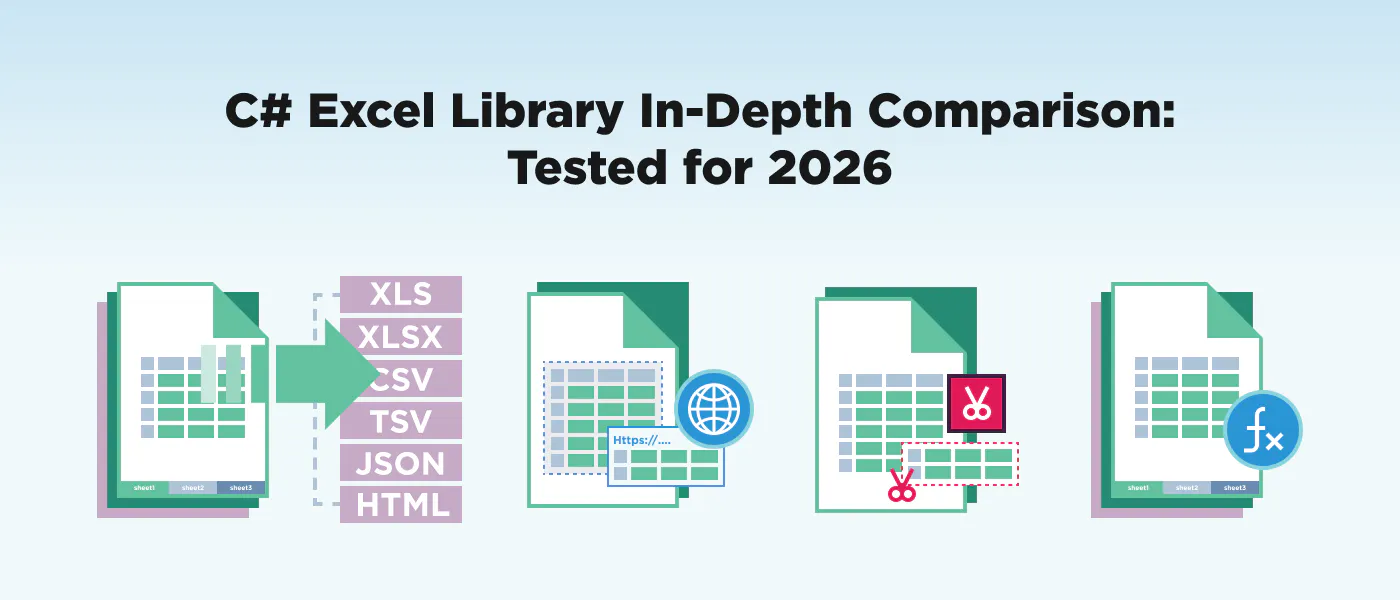
: C# Excel ライブラリ 12 を同一のタスクに対してテストしました: ワークブックを作成し、大規模なデータセットを読み、セルをフォーマットし、プラットフォームを介してエクスポートします. このガイドは、MIT がライセンスを取得したオープンソースオプションから、エンタープライズクラスの商用スイートまで、コード、パフォーマンスベンチマーク、ライセンスコスト、およびプロジェクトのための正しいライブラリを選択するのに役立つ意思決定枠組みのすべてをカバーします. No single C# Excel library wins every scenario — the best choice depends on your budget, scale, and deployment target. TL;DR この比較では、同じテストシナリオを通じて12のライブラリをそれぞれ実行するために3週間を費やしました:ワークブックをゼロから作成し、10万行のデータセットを読み、条件付きフォーマットを適用し、WindowsとLinuxの両方でXLSXとCSVにエクスポートしました。 完全な開示:We're the DevRel team behind つまり、我々は正直な評価がマーケティングスピンよりも誰にでも役立つと信じている。我々は我々の方法論を示し、我々の偏見を認め、基準が自分自身のために話すようにします。 アイロン ここでは、景色が一目で見えるように見えます - それから私たちはそれぞれの図書館に深く入ります。 // The task every library in this article performs: // Create a workbook → write headers + 3 data rows → save as XLSX // IronXL (3 lines of core logic) using IronXL; WorkBook wb = WorkBook.Create(ExcelFileFormat.XLSX); WorkSheet ws = wb.CreateWorkSheet("Sales"); ws["A1"].Value = "Product"; ws["B1"].Value = "Revenue"; ws["A2"].Value = "Widget"; ws["B2"].DoubleValue = 14999.99; wb.SaveAs("sales_ironxl.xlsx"); IRONXL 出力 私たちは、このタスクの各ライブラリのバージョンを下に示します、なぜなら、APIを評価する最良の方法はコードを読み取ることだからです。 個々のプロフィールに入る前に、方法論についてのメモをまとめ、各図書館を7つの次元で評価しました。 (共通の課題を達成するためにいくつラインがあるか) (どのタイプのファイルが読み書きできるか) (表、表、表、表など) (スピードとメモリの使用をスケールで書く)、 (Linux、Docker、クラウド) (隠された費用を含む実際のコスト)、および (リリースカデンス、コミュニティサイズ、ドキュメンタリーの品質) 1 つのライブラリがすべての 7 つを上回ることはなく、各次元に割り当てる重量があなたの最良の選択を決定します。 API ergonomics format support feature depth performance cross-platform support licensing clarity maintenance health どの C# Excel ライブラリを選ぶべきですか? The Quick-Reference Table 各図書館の文書と2026年2月現在のNuGetパッケージに対して、この表のすべての主張が検証されます。 Library License Entry Price XLSX Files XLS Files CSV Files .NET 8 LTS .NET 10 Linux/Docker Charts Pivot Tables Formula Engine NuGet Downloads IronXL Commercial $749/yr ✅ ✅ ✅ ✅ ✅ ✅ ❌ ❌ ✅ 3M+ EPPlus Commercial $299/yr ✅ ❌ ✅ ✅ ✅ ✅ ✅ ✅ ✅ 80M+ ClosedXML MIT Free ✅ ❌ ✅ ✅ ✅ ✅ ❌ ✅ ✅ 60M+ NPOI Apache 2.0 Free ✅ ✅ ❌ ✅ ✅ ✅ ✅ ❌ ✅ 50M+ Aspose.Cells Commercial $1,199/yr ✅ ✅ ✅ ✅ ✅ ✅ ✅ ✅ ✅ 20M+ Syncfusion XlsIO Commercial/Free* $0–$995/yr ✅ ✅ ✅ ✅ ✅ ✅ ✅ ✅ ✅ 15M+ GemBox.Spreadsheet Freemium $0–$890 ✅ ✅ ✅ ✅ ✅ ✅ ✅ ✅ ✅ 5M+ OpenXML SDK MIT Free ✅ ❌ ❌ ✅ ✅ ✅ ✅ ✅ ❌ 100M+ ExcelDataReader MIT Free ✅ ✅ ✅ ✅ ✅ ✅ ❌ ❌ ❌ 70M+ Spire.XLS Commercial $999/dev ✅ ✅ ✅ ✅ ✅ ✅ ✅ ✅ ✅ 3M+ SpreadsheetLight MIT Free ✅ ❌ ✅ ⚠️ ❌ ⚠️ ✅ ❌ ✅ 2M+ SpreadsheetGear Commercial $975/dev ✅ ✅ ✅ ✅ ✅ ✅ ✅ ❌ ✅ 1M+ IronXL 商業 749円/日 ✅ ✅ ✅ ✅ ✅ ✅ ❌ ❌ ✅ 3M+ EPPlus EPPLUS 商業 299 / ドル ✅ ❌ ✅ ✅ ✅ ✅ ✅ ✅ ✅ 80m+ ClosedXML 閉鎖XML ミット フリー ✅ ❌ ✅ ✅ ✅ ✅ ❌ ✅ ✅ 60m+ NPOI Apache 2.0 について フリー ✅ ✅ ❌ ✅ ✅ ✅ ✅ ❌ ✅ 50m+ Aspose.Cells 商業 1.199 ドル/日 ✅ ✅ ✅ ✅ ✅ ✅ ✅ ✅ ✅ 20m+ Syncfusion XlsIO Commercial/Free* $0–$995/yr ✅ ✅ ✅ ✅ ✅ ✅ ✅ ✅ ✅ 15m+ GemBox.Spreadsheet トップ > スプレッドシート フリーミアム $0–$890 ✅ ✅ ✅ ✅ ✅ ✅ ✅ ✅ ✅ 5M+ OpenXML SDK ミット Free ✅ ❌ ❌ ✅ ✅ ✅ ✅ ✅ ❌ 100m+ ExcelDataReader ミット Free ✅ ✅ ✅ ✅ ✅ ✅ ❌ ❌ ❌ 70m+ Spire.XLS Spire.XLS 商業 $999/dev ✅ ✅ ✅ ✅ ✅ ✅ ✅ ✅ ✅ 3M+ SpreadsheetLight ミット Free ✅ ❌ ✅ ⚠️ ❌ ️ ✅ ❌ ✅ 2M+ SpreadsheetGear Commercial 975ドル/デヴ ✅ ✅ ✅ ✅ ✅ ✅ ✅ ❌ ✅ 1M+ Syncfusion は、収入が 1 億ドル以下、開発者数が 5 名未満の企業に無料のコミュニティ ライセンスを提供しています。 ️ = 部分的または未確認のサポート free Community License The short version, by scenario: ClosedXML(MIT、成熟、アクティブな開発) → IronXL or Aspose.Cells Enterprise-grade with premium support? → Aspose.Cells or Syncfusion XlsIO Maximum feature coverage? → ExcelDataReader Read-only, maximum speed? → OpenXML SDK Low-level control, no abstraction? → NPOI Java port, legacy XLS required? Now let's look at each library in detail. The 12 C# Excel Libraries Worth Knowing in 2026 Each profile below follows the same structure: what the library is, a code example performing the standard task (create workbook, write data, save), its genuine strengths and limitations, and who should use it. We're aiming for fairness — every library gets the same honest treatment. 1. IronXL — The All-in-One Commercial .NET Library IronXL is a commercial .NET Excel library from that prioritizes API simplicity and cross-platform deployment. It reads and writes XLS, XLSX, CSV, TSV, and JSON without requiring Microsoft Office. Its extensive set of features also includes creating and editing Microsoft Excel worksheets, the ability to export Excel workbooks, work with formulas, and more. You can even add image formats into your Excel worksheets. Monthly release cadence — the latest version (2026.2) ships with .NET 10 support. Iron Software using IronXL; // Create a new workbook and write data WorkBook wb = WorkBook.Create(ExcelFileFormat.XLSX); WorkSheet ws = wb.CreateWorkSheet("Sales"); ws["A1"].Value = "Product"; ws["B1"].Value = "Revenue"; ws["C1"].Value = "Date"; ws["A2"].Value = "Widget"; ws["B2"].DoubleValue = 14999.99; ws["C2"].Value = DateTime.Now.ToShortDateString(); // Apply formatting ws["B1:B2"].FormatString = "$#,##0.00"; wb.SaveAs("sales_ironxl.xlsx"); IronXL 出力 Excel ファイル The API uses a WorkBook → WorkSheet → cell-addressing pattern that mirrors how developers think about spreadsheets. Cell addressing supports both A1 notation (ws["B2"]) and range expressions (ws["A1:C10"]), and the FormatString property accepts standard Excel format codes. The library handles formula recalculation automatically when cells are edited. Strengths: Minimal boilerplate, create, read, and export data in 3-5 lines of code. This makes is a piece of cake to add into your .NET applications クロスプラットフォーム:Windows、Linux、macOS、Docker、Azure、AWS Lambda — すべてテスト済み。 Monthly releases with active bug fixes; the API-level simplicity is the primary differentiator, not raw throughput (see Benchmarks section for honest numbers) Supports XLS (legacy) + XLSX + CSV + TSV + JSON in a unified API Real-world deployment: uses IronXL for nonprofit financial reconciliation, achieving 4× faster payment processing; powers logistics and healthcare Excel automation across Germany Brainycom ThreeB IT Limitations: グラフ作成なし(既存のグラフを読み取ることができますが、プログラマで作成することはできません) No pivot table generation Commercial license required for production ($749/year for Lite) Smaller community compared to EPPlus or ClosedXML Teams that need a clean API for reading/writing/exporting Excel data across platforms, don't need chart generation, and value professional support and frequent updates. Strong fit for data pipelines, report generation, and CSV/Excel conversion workflows. Best for: 2. — The Community Favorite Gone Commercial EPPLUS EPPlus は、史上最もダウンロードされた .NET Excel ライブラリの 1 つです。 平成15年(平成30年) 平成30年(平成30年) 平成30年(平成30年) 平成30年(平成30年) )は広く使用されているが維持されていない。商用バージョンは、グラフ、ピオットテーブル、そして強力な公式エンジンで機能豊富です。 商用Polyformライセンスに移行 5.3 ノウハウ using OfficeOpenXml; ExcelPackage.License.SetNonCommercialOrganization("My Organization"); using var package = new ExcelPackage(); var ws = package.Workbook.Worksheets.Add("Sales"); ws.Cells["A1"].Value = "Product"; ws.Cells["B1"].Value = "Revenue"; ws.Cells["C1"].Value = "Date"; ws.Cells["A2"].Value = "Widget"; ws.Cells["B2"].Value = 14999.99; ws.Cells["C2"].Value = DateTime.Now; ws.Cells["C2"].Style.Numberformat.Format = "yyyy-mm-dd"; ws.Cells["B1:B2"].Style.Numberformat.Format = "$#,##0.00"; package.SaveAs(new FileInfo("sales_epplus.xlsx")); EEPLUS 出力 EPPlus uses a ExcelPackage → Workbook → Worksheets hierarchy that closely mirrors the Excel object model. The Cells property accepts A1-style references, and styling is applied through a nested Style object. Note the license configuration line, EPPlus 5+ requires you to set a license context before any operations. Strengths: Massive community and ecosystem, 80M+ NuGet downloads, extensive Stack Overflow coverage Charts, pivot tables, conditional formatting, data validation, VBA support Powerful LoadFromCollection<T>() and LoadFromDataTable() for object-to-Excel mapping Mature formula engine with broad function coverage Limitations: XLSX only, no XLS legacy format support Commercial license required for any commercial use since v5 ($299/year base) Version 4.5.3 (last free version) is unmaintained and missing years of bug fixes Can struggle with memory on very large files (100K+ rows) in some configurations Teams with existing EPPlus investments, projects needing charts/pivot tables on a moderate budget, and developers who value the enormous community knowledge base. Best for: ClosedXML — The Open-Source Developer's Choice for Excel API について wraps Microsoft's in a developer-friendly API. MIT-licensed, actively maintained (frequent commits on ), and used by millions. It's the go-to recommendation when developers ask for a free, full-featured Excel library on and .NET community forums. ClosedXML OpenXML SDK GitHub Stack Overflow using ClosedXML.Excel; using var wb = new XLWorkbook(); var ws = wb.AddWorksheet("Sales"); ws.Cell("A1").Value = "Product"; ws.Cell("B1").Value = "Revenue"; ws.Cell("C1").Value = "Date"; ws.Cell("A2").Value = "Widget"; ws.Cell("B2").Value = 14999.99; ws.Cell("C2").Value = DateTime.Now; ws.Cell("B2").Style.NumberFormat.Format = "$#,##0.00"; wb.SaveAs("sales_closedxml.xlsx"); ClosedXML 出力 ClosedXML's API is intuitive: XLWorkbook → AddWorksheet → Cell() with string-based addressing. The Style property chain is clean and discoverable via IntelliSense. It builds on top of OpenXML SDK, so it generates spec-compliant .xlsx files. Strengths: MITライセンス、商用を含むすべての使用のために真に無料 Clean, intuitive API that makes OpenXML SDK bearable Active development with regular releases and responsive maintainers Good pivot table support and conditional formatting Large community: 60M+ NuGet downloads Limitations: XLSX only, no XLS legacy format support グラフ作成なし(頻繁に要求される機能、まだ実装されていません) 非常に大きなデータセットでパフォーマンスが悪化する(100K+の行は遅いか、メモリの多い場合があります)。 No commercial support, community-only via GitHub Issues Open-source projects, budget-constrained teams, and any scenario where MIT licensing is a requirement. Excellent for small-to-medium datasets where chart generation isn't needed. Best for: 4. NPOI — The Java Port That Refuses to Die .NET ポートは , the Java Excel library. It's one of the few free libraries that supports both XLS (BIFF) and XLSX (OOXML) formats. Apache 2.0 licensed. The API reflects its Java heritage, it's more verbose than C#-native alternatives, but it's battle-tested and handles legacy formats that newer libraries can't touch. その後 Apache POI using NPOI.XSSF.UserModel; using NPOI.SS.UserModel; IWorkbook wb = new XSSFWorkbook(); ISheet ws = wb.CreateSheet("Sales"); IRow headerRow = ws.CreateRow(0); headerRow.CreateCell(0).SetCellValue("Product"); headerRow.CreateCell(1).SetCellValue("Revenue"); headerRow.CreateCell(2).SetCellValue("Date"); IRow dataRow = ws.CreateRow(1); dataRow.CreateCell(0).SetCellValue("Widget"); dataRow.CreateCell(1).SetCellValue(14999.99); dataRow.CreateCell(2).SetCellValue(DateTime.Now.ToShortDateString()); using var fs = new FileStream("sales_npoi.xlsx", FileMode.Create); wb.Write(fs); NPOI Output NPOI は CreateRow() および CreateCell() を介して明示的な行とセルを作成する必要がありますが、ストレージベースのセルアドレスは存在しません。 XLS ファイルの場合、XSSFWorkbook と HSSFWorkbook を交換します。 インターフェイス駆動の設計 (IWorkbook、ISheet、IRow) は、同じコードの論理が単一の構築者を変更することによって両方の形式をターゲットにすることができることを意味します。 Strengths: Apache 2.0 license, free for commercial use Supports both XLS (97-2003) and XLSX, one of few free libraries that handles legacy XLS Chart creation support (basic) Handles Word (.doc/.docx) and PowerPoint in addition to Excel documents Proven at enterprise scale — ported from Apache POI with decades of Java heritage Limitations: Verbose, Java-style API, significantly more boilerplate than C#-native alternatives パフォーマンスは一般的に、EPPlus、ClosedXML、またはIronXLよりも遅い。 Documentation is sparse and often in Chinese — English resources are community-contributed API can be unintuitive for developers unfamiliar with Apache POI Projects that 商用ライセンスなしで古い XLS ファイルを読み、書き、Excel + Word + PowerPoint の 1 つのライブラリをゼロ予算で必要とする場合にも適しています。 Best for: must 5. Aspose.Cells — The Enterprise Heavyweight is the most feature-rich .NET Excel library available. It supports virtually every Excel feature: charts, pivot tables, conditional formatting, data validation, sparklines, slicers, VBA macros, and more. It's also the most expensive option. Aspose positions it as a complete Excel automation platform, not just a file I/O library. Aspose.Cells using Aspose.Cells; Workbook wb = new Workbook(); Worksheet ws = wb.Worksheets[0]; ws.Cells["A1"].PutValue("Product"); ws.Cells["B1"].PutValue("Revenue"); ws.Cells["C1"].PutValue("Date"); ws.Cells["A2"].PutValue("Widget"); ws.Cells["B2"].PutValue(14999.99); ws.Cells["C2"].PutValue(DateTime.Now); Style style = wb.CreateStyle(); style.Number = 7; // $#,##0.00 ws.Cells["B2"].SetStyle(style); wb.Save("sales_aspose.xlsx"); Aspose.Cells Output Aspose.Cells は、ワークブック → ワークシート → セル ハイラリケートを使用します。 データは直接の割り当てではなく PutValue() で書かれています。 スタイリングには、スタイルオブジェクトを作成し、それを適用する必要があります。 Strengths: .NET Excel エコシステムで設定された最も包括的な機能は、Excel がそれを行うことができれば、Aspose.Cells はおそらくそれをサポートします。 Excellent performance on large files, optimized for enterprise-scale batch processing Extensive format support: XLSX, XLS, XLSB, XLSM, CSV, ODS, PDF, HTML, images Excel-to-PDF rendering that's among the most faithful available Strong documentation, extensive code samples, and dedicated support team Limitations: 最高価格:開発者小規模企業は年1199ドルからスタート、OEMは11198ドルに達 API は、場所によって語られるものであり、スタイルの作成と適用は IronXL または ClosedXML よりも儀式的なものである。 巨大なAPI表面は、シンプルなタスクにとって圧倒的です。 重量依存性、NuGetパッケージは大きい プレミアムツールのための予算を持つエンタープライズチーム、高度な機能(グラフ、ピボット、スパークライン、VBA)を必要とするプロジェクト、および高い信頼性を必要とするワークフロー . Best for: Excel-to-PDF conversion Syncfusion XlsIO - The Suite Play(スイート・プレイ) Syncfusion の巨大な Essential Studio スイートの一部です. 幅広い Excel 機能のカバーと Syncfusion のクロスプラットフォーム UI コントロールエコシステムの利点を提供します. 無料のコミュニティ ライセンス ($1M 未満の企業、 ≤5 開発者) は、小規模なチームにアクセスできます。 Syncfusion Essential XlsIO using Syncfusion.XlsIO; using ExcelEngine excelEngine = new ExcelEngine(); IApplication app = excelEngine.Excel; app.DefaultVersion = ExcelVersion.Xlsx; IWorkbook wb = app.Workbooks.Create(1); IWorksheet ws = wb.Worksheets[0]; ws.Range["A1"].Text = "Product"; ws.Range["B1"].Text = "Revenue"; ws.Range["C1"].Text = "Date"; ws.Range["A2"].Text = "Widget"; ws.Range["B2"].Number = 14999.99; ws.Range["C2"].DateTime = DateTime.Now; ws.Range["B2"].NumberFormat = "$#,##0.00"; wb.SaveAs("sales_syncfusion.xlsx"); Syncfusion XlsIO Output Syncfusion は、Excel の COM オブジェクト モデルを反映する ExcelEngine → IApplication → IWorkbook ハイラリーを使用します. Cell access is through Range[] with separate typed properties (Text, Number, DateTime). This strongly-typed approach catches type errors at compile time rather than runtime. Syncfusion は、異なる入力属性(テキスト、ナンバー、DateTime)を使用しています。 Strengths: Feature-rich: Use data source's to create charts, pivot tables, conditional formatting, data validation, template markers, sparklines 小企業向けの無料コミュニティライセンス、真の差別化者 Excel-to-PDF コンバージョン SyncfusionのBlazor、MAUI、およびWPF UIコントロールとの深い統合 四半期リリースによるアクティブな開発、クロスプラットフォーム(Windows、Linux、macOS、Docker) Limitations: The Community License has strict eligibility requirements, companies over $1M revenue must purchase Full Suite pricing is complex and can be expensive ($995/dev/year for Essential Studio) Library is part of a massive suite, you're pulling in more dependencies than needed for Excel-only work ベンダーのロックイン懸念:深いSyncfusionエコシステムの統合により移行が困難になる Teams already using Syncfusion's UI controls, startups qualifying for the free Community License, and projects needing tight integration between Excel processing and Blazor/MAUI front ends. Best for: 7. — The Performance-Focused Mid-Tier GemBox.Spreadsheet is a commercially licensed .NET component with a compelling free tier (150 rows, 5 sheets). It advertises strong performance numbers — the company claims 1 million rows in under 3.5 seconds with less than 256MB RAM — and supports an unusually broad range of output formats including PDF, XPS, and image rendering. Available on . GemBox.Spreadsheet NuGet using GemBox.Spreadsheet; SpreadsheetInfo.SetLicense("FREE-LIMITED-KEY"); var wb = new ExcelFile(); var ws = wb.Worksheets.Add("Sales"); ws.Cells["A1"].Value = "Product"; ws.Cells["B1"].Value = "Revenue"; ws.Cells["C1"].Value = "Date"; ws.Cells["A2"].Value = "Widget"; ws.Cells["B2"].Value = 14999.99; ws.Cells["C2"].Value = DateTime.Now; ws.Cells["B2"].Style.NumberFormat = "$#,##0.00"; wb.Save("sales_gembox.xlsx"); GemBox.Spreadsheet Output GemBox では、ExcelFile → Worksheets → Cells を使用して、文字列に基づくアドレスを提供しています。API はクリーンで、ClosedXML のパターンに類似しています。FREE-LIMITED-KEY は、ライン制限のみを含むウォーターマークなしの評価を可能にします。 Strengths: Strong claimed performance on large datasets (1M rows, <256MB, <3.5s) PDF, XPS, and image export built in — no separate library needed Charts, Pivot Tables, Conditional Formatting, and Data Validation サポート Free tier for small datasets (useful for prototyping) Clean, idiomatic C# API Limitations: 無料レイヤー 150 行と 5 シートに制限 - ほとんどの実際のアプリケーションにとってあまりにも制限的な EPPlus、ClosedXML、またはNPOIよりも小さなコミュニティ - Stack Overflow 応答が少ない Professional license starts at ~$890 (one-time) — competitive but not cheap Less name recognition — harder to get team buy-in compared to established alternatives 大きなファイルを処理するパフォーマンスに敏感なアプリケーション、Excel から内蔵の PDF/イメージのエクスポートが必要なプロジェクト、サブスクリプションよりも一度のライセンスを重視するチーム。 Best for: 8. OpenXML SDK — The Foundation Layer 低レベルのアクセスを提供 . It's what ClosedXML and many other libraries are built on. MIT-licensed, maintained by Microsoft, and gives you direct control over the XML structure of .xlsx files. The tradeoff: you're essentially writing XML with helpers. MicrosoftのOpen XML SDK Office Open XML documents using DocumentFormat.OpenXml; using DocumentFormat.OpenXml.Packaging; using DocumentFormat.OpenXml.Spreadsheet; using var doc = SpreadsheetDocument.Create("sales_openxml.xlsx", SpreadsheetDocumentType.Workbook); var workbookPart = doc.AddWorkbookPart(); workbookPart.Workbook = new Workbook(); var worksheetPart = workbookPart.AddNewPart<WorksheetPart>(); worksheetPart.Worksheet = new Worksheet(new SheetData()); var sheets = workbookPart.Workbook.AppendChild(new Sheets()); sheets.Append(new Sheet { Id = workbookPart.GetIdOfPart(worksheetPart), SheetId = 1, Name = "Sales" }); var sheetData = worksheetPart.Worksheet.GetFirstChild<SheetData>(); var row = new Row { RowIndex = 1 }; row.Append(new Cell { CellReference = "A1", DataType = CellValues.String, CellValue = new CellValue("Product") }); row.Append(new Cell { CellReference = "B1", DataType = CellValues.String, CellValue = new CellValue("Revenue") }); sheetData.Append(row); workbookPart.Workbook.Save(); OpenXML Output OpenXML SDK では、XML ドキュメントの構造、ワークブックのパーツ、ワークシートのパーツ、シートデータ、行、セル、セル参照、データタイプを手動で構築する必要があります。 Strengths: MITのライセンスは、Microsoftによって維持され、「公式」として取得 Maximum control over document structure, nothing is abstracted away Memory-efficient for streaming writes (SAX-style approach available) 100M+ NuGet downloads, the foundational layer many other libraries depend on No third-party risk, it's from Microsoft themselves Limitations: Extremely verbose, simple tasks require 5-10× more code than any higher-level library No formula calculation engine, formulas are stored as strings, not evaluated No XLS support, OOXML (.xlsx) only 便利なセルアドレス、フォーマットショートカット、またはデータ結合アシスタントはありません。 Steep learning curve, you need to understand the OOXML specification. 急速な学習曲線、あなたはOOXML仕様を理解する必要があります。 Library authors building their own Excel abstraction, scenarios requiring absolute control over document structure, and teams with strict "no third-party dependencies" policies who can absorb the development cost. Best for: ExcelDataReader - The Lightweight Read-Only Specialist (エクセルデータリーダー) does one thing and does it well: reading Excel files. It supports XLS, XLSX, and CSV through a streaming IDataReader interface that's memory-efficient for large files. MIT-licensed. If you only need to spreadsheets, this should be your first consideration. ExcelDataReader 読書 using ExcelDataReader; using System.Data; // Required for .NET Core System.Text.Encoding.RegisterProvider(System.Text.CodePagesEncodingProvider.Instance); using var stream = File.Open("sales_data.xlsx", FileMode.Open, FileAccess.Read); using var reader = ExcelReaderFactory.CreateReader(stream); DataSet result = reader.AsDataSet(new ExcelDataSetConfiguration { ConfigureDataTable = _ => new ExcelDataTableConfiguration { UseHeaderRow = true } }); DataTable table = result.Tables[0]; foreach (DataRow row in table.Rows) { Console.WriteLine($"{row["Product"]}: {row["Revenue"]}"); } ExcelDataReader 読み出し ExcelDataReader returns data through the familiar System.Data interfaces: IDataReader for streaming and DataSet/DataTable for materialized results. The UseHeaderRow = true configuration promotes the first row to column names. Note the encoding provider registration, required on .NET Core for XLS format support. Strengths: MIT license — free for everything 軽量:小さなNuGetパッケージ、最小限の依存性 Streaming reader — memory-efficient for large files Supports both XLS and XLSX plus CSV DataTable 統合により、データをデータベースやその他のシステムに簡単にパイプする 70M+ NuGet downloads — proven reliability Limitations: — cannot create or modify Excel files Read-only フォーマット、スタイリング、グラフ、または公式評価なし No cell addressing — data access is row/column based only Requires manual encoding provider registration on .NET Core ETL パイプライン、データインポートワークフロー、移行ツール、および必要なシナリオ Excel データを迅速かつ安く、決してテーブルシートに書き戻さないようにします。 Best for: 読書 10. 「eIceBlue Contender」 スパイヤー.XLS by eIceBlue is a commercial Excel component with a free version limited to 200 rows and 5 sheets. The commercial version supports the full range of Excel features including charts, pivot tables, and Excel-to-PDF conversion. eIceBlue also offers Word, PDF, and PowerPoint libraries in their Spire.Office bundle. eIceBlue is a commercial Excel component with a free version limited to 200 rows and 5 sheets. The commercial version supports the full range of Excel features including charts, pivot tables, and Excel-to-PDF conversion. eIceBlue also offers Word, PDF, and PowerPoint libraries in their Spire.Office bundle. Spire.XLS for .NET について using Spire.Xls; Workbook wb = new Workbook(); Worksheet ws = wb.Worksheets[0]; ws.Name = "Sales"; ws.Range["A1"].Text = "Product"; ws.Range["B1"].Text = "Revenue"; ws.Range["C1"].Text = "Date"; ws.Range["A2"].Text = "Widget"; ws.Range["B2"].NumberValue = 14999.99; ws.Range["C2"].DateTimeValue = DateTime.Now; ws.Range["B2"].NumberFormat = "$#,##0.00"; wb.SaveToFile("sales_spire.xlsx", ExcelVersion.Version2016); Spire.XLS Output Spire.XLS follows a pattern similar to Syncfusion, Workbook → Worksheet → Range with typed value properties. The SaveToFile method requires specifying the target Excel version explicitly. Strengths: 包括的な機能セット:グラフ、ピボット、条件付きフォーマット、暗号化、デジタル署名 Excel-to-PDF および Excel-to-image 内蔵の変換 Free version available (200 rows, 5 sheets), more generous than GemBox's free tier for row count Supports XLS and XLSX Part of the broader Spire.Office suite Limitations: フリーバージョンの200行制限は、ほとんどの生産用にあまりにも制限的です。 Commercial pricing starts at ~$999/developer, on the higher end Aspose または Syncfusion に比べて小さい .NET コミュニティの存在 ドキュメントの品質は不一致で、一部のAPI領域はドキュメントが不足している。 Java heritage shows in some API patterns Teams evaluating commercial alternatives to Aspose.Cells at a different price point, and projects already using other Spire.Office components. Best for: SpreadsheetLight - The Minimalist(ミニマリスト) これはOpenXML SDKに基づいて構築されたMITライセンスライブラリで、学習しやすい、軽量で、一般的なスプレッドシートのタスクに十分な「シンプル」オプションであることを目指しています。 SpreadsheetLight using SpreadsheetLight; using var doc = new SLDocument(); doc.SetCellValue("A1", "Product"); doc.SetCellValue("B1", "Revenue"); doc.SetCellValue("C1", "Date"); doc.SetCellValue("A2", "Widget"); doc.SetCellValue("B2", 14999.99); doc.SetCellValue("C2", DateTime.Now.ToShortDateString()); doc.SaveAs("sales_spreadsheetlight.xlsx"); SpreadsheetLight uses a single SLDocument class as the entry point. The SetCellValue method is overloaded for different types. It's arguably the simplest API in this comparison — but simplicity comes at a cost. Strengths: MIT licensed, genuinely free 極めてシンプルなAPI、このラウンドアップで最も低い学習曲線 軽量、最小限の依存性(OpenXML SDKのみ) Basic chart support (more than ClosedXML offers) Good enough for simple reporting and data export tasks Limitations: , infrequent updates, last major activity was years ago Appears unmaintained .NET Framework に焦点を当て、 .NET Core/.NET 8+ の互換性は不確実です。 XLSX only, no XLS support Limited feature set compared to active alternatives 小規模なコミュニティ、有限の Stack Overflow カバーおよびトラブルシューティングリソース Simple, one-off spreadsheet generation tasks in .NET Framework projects where you need something lightweight and free. For this use case, ClosedXML might actually be the better choice given its active maintenance. Best for: 12. SpreadsheetGear — The Enterprise Veteran has been in the .NET Excel space for over a decade. It positions itself as the high-performance, Excel-compatible calculation engine for enterprise applications. The library includes charting, a formula engine with 450+ functions, and WinForms/WPF spreadsheet controls for building interactive Excel-like UIs. SpreadsheetGear using SpreadsheetGear; IWorkbook wb = Factory.GetWorkbook(); IWorksheet ws = wb.Worksheets["Sheet1"]; IRange cells = ws.Cells; cells["A1"].Value = "Product"; cells["B1"].Value = "Revenue"; cells["C1"].Value = "Date"; cells["A2"].Value = "Widget"; cells["B2"].Value = 14999.99; cells["C2"].Value = DateTime.Now; cells["B2"].NumberFormat = "$#,##0.00"; wb.SaveAs("sales_spreadsheetgear.xlsx", FileFormat.OpenXMLWorkbook); SpreadsheetGear 出力 SpreadsheetGear の API は、Excel VBA オブジェクト モデルを密接に反映しており、Excel マクロを書いた開発者はすぐに自宅にいるようになります。 Strengths: 450以上の内蔵機能、あらゆる .NET ライブラリで最も完全な公式エンジンの一つ 金融モデリングシナリオに最適化された高性能計算 WinForms と WPF スプレッドシート UI コントロール インタラクティブな Excel のようなインターフェイスを構築する 優れたExcel互換性、ピクセル完璧なレンダリングを目指す 長い歴史、企業環境での生産実証 Limitations: より高い価格ポイント( ~ $ 975 / developer) より少ない目に見える価格、販売に連絡する必要があります EPPlus、ClosedXML、またはNPOIよりも小さな開発者コミュニティ Less modern API feel compared to newer entrants Limited presence on modern community platforms (HackerNoon, Dev.to, etc.) No free tier or community edition 強力な計算エンジンを必要とする金融アプリケーション、デスクトップアプリケーションに埋め込まれたタブレット UI コントロールを必要とするアプリケーション、および Excel VBA 移行が使用例であるエンタープライズ環境。 Best for: Feature Showdown: 各図書館が実際にできることは何ですか? Beyond the basics of reading and writing cells, Excel libraries differ dramatically in their advanced feature support. Here's what we found when we tested features that matter in production applications. File Format Support Library XLSX XLS XLSB XLSM CSV TSV JSON ODS PDF Export IronXL ✅ ✅ ❌ ✅ ✅ ✅ ✅ ❌ ❌ EPPlus ✅ ❌ ❌ ✅ ✅ ❌ ❌ ❌ ❌ ClosedXML ✅ ❌ ❌ ✅ ✅ ❌ ❌ ❌ ❌ NPOI ✅ ✅ ❌ ❌ ❌ ❌ ❌ ❌ ❌ Aspose.Cells ✅ ✅ ✅ ✅ ✅ ✅ ✅ ✅ ✅ Syncfusion ✅ ✅ ❌ ✅ ✅ ✅ ✅ ❌ ✅ GemBox ✅ ✅ ✅ ✅ ✅ ✅ ❌ ✅ ✅ OpenXML SDK ✅ ❌ ❌ ✅ ❌ ❌ ❌ ❌ ❌ ExcelDataReader ✅ ✅ ❌ ❌ ✅ ❌ ❌ ❌ ❌ Spire.XLS ✅ ✅ ✅ ✅ ✅ ❌ ❌ ✅ ✅ SpreadsheetLight ✅ ❌ ❌ ❌ ✅ ❌ ❌ ❌ ❌ SpreadsheetGear ✅ ✅ ❌ ❌ ✅ ❌ ❌ ❌ ✅ IronXL ✅ ✅ ❌ ✅ ✅ ✅ ✅ ❌ ❌ EPPLUS ✅ ❌ ❌ ✅ ✅ ❌ ❌ ❌ ❌ 閉鎖XML ✅ ❌ ❌ ✅ ✅ ❌ ❌ ❌ ❌ その後 ✅ ✅ ❌ ❌ ❌ ❌ ❌ ❌ ❌ トップ > 細胞 ✅ ✅ ✅ ✅ ✅ ✅ ✅ ✅ ✅ Syncfusion ✅ ✅ ❌ ✅ ✅ ✅ ✅ ❌ ✅ GemBox ✅ ✅ ✅ ✅ ✅ ✅ ❌ ✅ ✅ OpenXML SDK ✅ ❌ ❌ ✅ ❌ ❌ ❌ ❌ ❌ エクセル ✅ ✅ ❌ ❌ ✅ ❌ ❌ ❌ ❌ スパイヤー.XLS ✅ ✅ ✅ ✅ ✅ ❌ ❌ ✅ ✅ SpreadsheetLight ✅ ❌ ❌ ❌ ✅ ❌ ❌ ❌ ❌ スプレッドシート ✅ ✅ ❌ ❌ ✅ ❌ ❌ ❌ ✅ The format support gap is significant. If you need 無料で、NPOIはあなたの唯一のリアルなオプションです。 , you are looking at Aspose.Cells, Syncfusion, GemBox, Spire.XLS, or SpreadsheetGear, all commercial. IronXL's strength here is the unified API for XLSX + XLS + CSV + TSV + JSON, a practical combination for data pipeline work. IronXL's strength here is the unified API for XLSX + XLS + CSV + TSV + JSON, a practical combination for data pipeline work. XLS legacy support PDF export from Excel Charts, Pivot Tables & Advanced Features Library Charts Pivot Tables Cond. Formatting Data Validation Images Formula Engine IronXL ❌ ❌ ✅ ✅ ✅ ✅ (auto-recalc) EPPlus ✅ ✅ ✅ ✅ ✅ ✅ ClosedXML ❌ ✅ ✅ ✅ ✅ ✅ NPOI ✅ (basic) ❌ ✅ ✅ ✅ ✅ Aspose.Cells ✅ ✅ ✅ ✅ ✅ ✅ Syncfusion ✅ ✅ ✅ ✅ ✅ ✅ GemBox ✅ ✅ ✅ ✅ ✅ ✅ OpenXML SDK ✅ (manual XML) ✅ (manual XML) ✅ (manual XML) ✅ (manual XML) ✅ ❌ ExcelDataReader ❌ ❌ ❌ ❌ ❌ ❌ Spire.XLS ✅ ✅ ✅ ✅ ✅ ✅ SpreadsheetLight ✅ (basic) ❌ ✅ ✅ ✅ ✅ SpreadsheetGear ✅ ❌ ✅ ✅ ✅ ✅ (450+ functions) IronXL ❌ ❌ ✅ ✅ ✅ ↓↓↓↓↓↓↓↓ EPPlus ✅ ✅ ✅ ✅ ✅ ✅ ClosedXML ❌ ✅ ✅ ✅ ✅ ✅ NPOI ↓ (基本) ❌ ✅ ✅ ✅ ✅ トップ > 細胞 ✅ ✅ ✅ ✅ ✅ ✅ Syncfusion ✅ ✅ ✅ ✅ ✅ ✅ GemBox ✅ ✅ ✅ ✅ ✅ ✅ オープンXML SDK マニュアル(XML) ✅ (manual XML) マニュアル(XML) ✅ (manual XML) ✅ ❌ エクセル ❌ ❌ ❌ ❌ ❌ ❌ Spire.XLS ✅ ✅ ✅ ✅ ✅ ✅ スプレッドライト ✅ (basic) ❌ ✅ ✅ ✅ ✅ SpreadsheetGear ✅ ❌ ✅ ✅ ✅ ↓ (450+機能) The tradeoff here is clear. If you need , you need EPPlus, Aspose.Cells, Syncfusion, GemBox, or Spire.XLS. IronXL and ClosedXML both lack chart creation — an honest limitation worth acknowledging. For reading/writing data work without charts, both offer cleaner APIs than the chart-capable alternatives. グラフを作成するのに欠けているのは、正直な限界です。 chart and pivot table creation パフォーマンス: Benchmark Results Across Real-World Operations 方法論のないパフォーマンス主張はマーケティングです テストを構成した方法はこちらで、結果はきっとあなたを驚かせます。 Methodology We ran a standardized benchmark suite across 15 libraries (our core 12 plus , , and as bonus contenders). Rather than a single synthetic task, we tested four real-world operations that mirror what developers actually build with Excel libraries: 拡散 MiniExcel スピード : Create a 12-month statement workbook with formulas and formatting Financial Report Generation : Build a 500-item, 3-warehouse tracking spreadsheet with cross-references Inventory Tracking 販売データ分析:合計で1万件のトランザクションを処理および書く Employee Payroll Processing: Calculated fields with a 250-employee payroll workbook 各テストは、壁時計の実行時間(ms)とピークメモリ(MB)を測定しました。テストは、複数のイテレーションで .NET 8 で実行され、レコードされた値をベンチマークハレットから報告しました。 財務報告書(12カ月) Rank Library Time (ms) Memory (MB) 1 SpreadCheetah 2.9 0.2 2 DevExpress 53.2 4.5 3 Aspose.Cells 55.5 0.25 4 Spire.XLS 80.3 1.2 5 OfficeIMO 257.6 2.1 6 IronXL 498.1 4.2 1 SpreadCheetah 2.9 0.2 2 デヴエクスプレス 53.2 4.5 3 Aspose.Cells 55.5 0.25 4 スパイヤー.XLS 80.3 1.2 5 オフィス 257.6 2.1 6 IronXL 498.1 4.2 SpreadCheetah's 2.9ms is striking, it's a write-only, forward-only streaming library designed explicitly for maximum throughput. It sacrifices API convenience (no random cell access, no reading) for raw speed. For pure report generation where you know the output structure upfront, it's essentially unbeatable. Aspose.Cells and DevExpress cluster closely in the 53-56ms range, representing the top tier among full-featured libraries. IronXLはここで498msで追跡しています。毎月のレポートの場合、それはエンドユーザには目に見えないものです。何千ものレポートを生成するバッチワークの場合、それは考慮の対象となり、SpreadCheetahまたはAspose.Cellsはその特定のワークロードのためのより良い選択肢になります。 Inventory Tracking (500 Items, 3 Warehouses) Rank Library Time (ms) Memory (MB) 1 EPPlus 51.2 2.9 2 ExcelMapper 54.1 4.9 3 SpreadCheetah 56.3 2.1 4 Aspose.Cells 136.5 2.4 5 Spire.XLS 183.2 1.4 6 DevExpress 451.7 5.0 7 IronXL 1,344.5 18.7 8 OfficeIMO 16,659.5 14.4 1 EPPLUS 51.2 2.9 2 ExcelMapper 54.1 4.9 3 拡散 56.3 2.1 4 トップ > 細胞 136.5 2.4 5 スパイヤー.XLS 183.2 1.4 6 DevExpress 451.7 5.0 7 IronXL 1,344.5 18.7 8 オフィス 16 659 5 14.4 EPPlus dominates this mid-complexity operation, followed closely by SpreadCheetah and ExcelMapper. The memory numbers tell an important story: Spire.XLS achieves competitive speed at just 1.4MB, the most memory-efficient result for this test. IronXL's 18.7MB footprint at rank 7 reflects its DOM-based architecture loading the full document model into memory. That said, 1.3 seconds for a 500-item inventory workbook is perfectly acceptable for interactive use, it's the kind of overhead you optimize only when it shows up in profiling. Sales Data Analysis (10,000 Transactions) これは最も重いテストであり、合計で1万行で、スケール用に構築されたライブラリと便利に最適化されたライブラリを区別します。 Rank Library Time (ms) Memory (MB) 1 CsvHelper 140.3 9.3 2 ClosedXML 262.5 16.4 3 SpreadCheetah 289.7 15.9 4 FastExcel 346.7 13.8 5 MiniExcel 638.3 17.7 6 EPPlus 671.0 21.3 7 Aspose.Cells 696.5 15.3 8 NPOI 1,930.4 35.0 9 Spire.XLS 2,015.5 26.8 10 DevExpress 4,860.6 25.0 11 IronXL 11,322.9 80.9 1 ヘルパー 140.3 9.3 2 閉鎖XML 262.5 16.4 3 拡散 289.7 15.9 4 スピード 346.7 13.8 5 MiniExcel 638.3 17.7 6 EPPLUS 671.0 21.3 7 トップ > 細胞 696.5 15.3 8 その後 1 0304 35.0 9 スパイヤー.XLS 2 0 0 0 5 26.8 10 DevExpress 4,860.6 25.0 11 IronXL 11,322.9 80.9 正直に言うと、IronXL はこのテストで最後に終了し、ギャップは重要です。 11.3 秒と 80.9 MB で、CsvHelper より 80 倍遅く、ClosedXML より 43 倍遅い。CsvHelper は、完全な Excel ライブラリではなく、意図的に構築された CSV パッサーであるため勝利し、完全に OOXML ドキュメント構築の過剰なコントロールを回避します。 The practical implication: if you're building a data pipeline that processes 10,000+ transaction datasets repeatedly, IronXL is not the right tool for that specific job. EPPlus, ClosedXML, or a streaming library like SpreadCheetah will serve you dramatically better. IronXL's strengths — API simplicity, cross-format support, professional support — show up in other dimensions of this evaluation, not raw throughput at scale. 従業員の賃金処理(従業員250人) この複雑で複数のシート操作を成功裏に完了したのは3つのライブラリのみです。 Rank Library Time (ms) Memory (MB) 1 Aspose.Cells 404.0 3.8 2 IronXL 2,893.0 12.5 3 Spire.XLS 4,323.0 N/A* 1 トップ > 細胞 404.0 3.8 2 IronXL 2,893.0 12.5 3 Spire.XLS 4,323.0 N/A * Spire.XLS reported negative memory measurement — likely a measurement artifact. ほとんどのライブラリはこのテストを試みなかったか、またはそれを完了できなかった。たった3つのライブラリが成功したという事実は、計算されたフィールドを持つ複数のシート、数式の重いワークブックの複雑さに言及します。Aspose.Cellsは説得力を持っています。IronXLは2番目に遅くなりましたが、操作を成功させ、ほとんどの競争相手が管理できなかった正しい出力を生み出しました。 What the benchmarks tell us (and what they don't) (ベンチマークが私たちに言っていること) Three patterns emerge from this data. First, . SpreadCheetah appears in the top 3 across every test it entered, but it can't read files, can't do random cell access, and can't apply complex formatting after writing. If speed is your primary concern and you're generating known report structures, it's worth adding to your evaluation list. Second, in the mid-tier. Aspose.Cells, EPPlus, and Spire.XLS generally trade positions depending on the operation type. Third, DOMベースのアーキテクチャと高レベルのAPI抽象は、導入であなたが見たクリーンな3行APIのためのトランスフォーのスケールで現れるオーバーヘッドを導入します。 streaming/write-only libraries dominate speed benchmarks full-featured commercial libraries cluster together IronXL's performance profile favors simplicity over speed 実際には、ほとんどのビジネスアプリケーションは10,000行以下で処理されます。500行の月間販売レポート、2000件の取引を含む四半期輸出、数百台のSKUの在庫スナップショット、これらのワークロードは、この比較でIronXLを含むあらゆるライブラリで快適に実行されます。 クロスプラットフォームサポート:Linux、Docker、クラウドで実行されますか? アプリケーションが Docker コンテナ、Linux の Azure App Service、または AWS Lambda にデプロイされている場合、Excel ライブラリは Windows 特有の依存関係なしで動作する必要があります。 Library Windows Linux macOS Docker Azure App Svc AWS Lambda Blazor WASM IronXL ✅ ✅ ✅ ✅ ✅ ✅ ❌ EPPlus ✅ ✅ ✅ ✅ ✅ ✅ ❌ ClosedXML ✅ ✅ ✅ ✅ ✅ ✅ ❌ NPOI ✅ ✅ ✅ ✅ ✅ ✅ ❌ Aspose.Cells ✅ ✅ ✅ ✅ ✅ ✅ ❌ Syncfusion ✅ ✅ ✅ ✅ ✅ ✅ ✅ (server) GemBox ✅ ✅ ✅ ✅ ✅ ✅ ❌ OpenXML SDK ✅ ✅ ✅ ✅ ✅ ✅ ✅ ExcelDataReader ✅ ✅ ✅ ✅ ✅ ✅ ❌ Spire.XLS ✅ ✅ ✅ ✅ ✅ ⚠️ ❌ SpreadsheetLight ✅ ⚠️ ⚠️ ⚠️ ⚠️ ❌ ❌ SpreadsheetGear ✅ ✅ ✅ ✅ ✅ ✅ ❌ アイロン ✅ ✅ ✅ ✅ ✅ ✅ ❌ EPPlus ✅ ✅ ✅ ✅ ✅ ✅ ❌ 閉鎖XML ✅ ✅ ✅ ✅ ✅ ✅ ❌ その後 ✅ ✅ ✅ ✅ ✅ ✅ ❌ Aspose.Cells ✅ ✅ ✅ ✅ ✅ ✅ ❌ シンクス ✅ ✅ ✅ ✅ ✅ ✅ (サーバー) ジェムボックス ✅ ✅ ✅ ✅ ✅ ✅ ❌ オープンXML SDK ✅ ✅ ✅ ✅ ✅ ✅ ✅ エクセル ✅ ✅ ✅ ✅ ✅ ✅ ❌ スパイヤー.XLS ✅ ✅ ✅ ✅ ✅ ⚠️ ❌ スプレッドライト ✅ ️ ️ ️ ️ ❌ ❌ スプレッドシート ✅ ✅ ✅ ✅ ✅ ✅ ❌ 良いニュース: ほとんどの近代的で積極的に維持されているライブラリは .NET 8 でクロスプラットフォームで動作します。 SpreadsheetLight は外部であり、その .NET Framework フォーカスは、クロスプラットフォームの展開を信頼できなくなります。 (レンダリングエンジンは重すぎるが、サーバー側のBlazorはそれらすべてでうまく機能する。 クライアント側 対象となるすべての図書館 .NET 6+ が最小の Docker コンテナで動作する ( ネイティブ OS 依存性は必要ありません、PDF ライブラリとは異なり、Excel ライブラリは純粋な管理コードです。 Docker consideration .NET Standard 2.0 mcr.microsoft.com/dotnet/ランタイム:8.0 ライセンスと価格:これは実際にあなたのチームにいくらかかりますか? Licensing is where Excel libraries diverge dramatically. Let's break down the real costs. オープンソースオプション Library License Commercial Use Gotchas ClosedXML MIT ✅ Free No commercial support; community-only fixes NPOI Apache 2.0 ✅ Free Must include license notice; no commercial support OpenXML SDK MIT ✅ Free Microsoft-maintained, but no dedicated Excel support ExcelDataReader MIT ✅ Free Read-only; you'll need another library for writes SpreadsheetLight MIT ✅ Free Appears unmaintained; risk of unpatched bugs 閉鎖XML ミット 無料 No commercial support; community-only fixes. コミュニティのみの修正 その後 Apache 2.0 について 無料 Must include license notice; no commercial support オープンXML SDK MIT ✅ Free Microsoft が維持しているが、専用の Excel サポートはありません。 エクセル MIT 無料 Read-only; you'll need another library for writes. あなたは、書籍のための別のライブラリが必要になります。 スプレッドライト ミット 無料 保存されていないように見えます; risk of unpatched bugs 「フリー」ライブラリには隠されたコストが伴います: SLA でサポートされていない、保証された修正タイムラインがなく、チームがトラブルシューティングに費やしているエンジニアリング時間は、商業ベンダーが扱うことになります。 そして both permit unrestricted commercial use, the distinction is in what the 売り手が保証するものとは違います。 ライセンス Apache 2.0 license 共同体 Commercial Options Compared Library Entry Price Per-Dev Pricing Free Tier OEM/SaaS Extra Support Included IronXL $749/yr (Lite) $749–$2,999/yr 30-day trial Yes (add-on) ✅ 24/5 engineering EPPlus $299/yr (base) $299–$599/yr v4.5.3 (outdated) Yes (add-on) ✅ Email Aspose.Cells $1,199/yr $1,199–$11,198/yr Eval (watermark) Yes (expensive) ✅ Priority Syncfusion $0–$995/yr Per-suite Community License* Included in suite ✅ (paid tiers) GemBox ~$890 (one-time) Per-developer 150 rows free One-time ✅ 12 months Spire.XLS ~$999/dev Per-developer 200 rows/5 sheets Add-on ✅ Email SpreadsheetGear ~$975/dev Per-developer None Contact sales ✅ Email アイロン $749/yr (リトル) 749ドル~999ドル/年 30日 裁判 はい(追加) 24/5 エンジニアリング EPPLUS $299/yr (ベース) $299~$599/年 5.3 (更新済み) Yes (add-on) このメール トップ > 細胞 $1,199/yr 1.199 ~ 11.198 ドル/年 ウォーターマーク(Watermark) はい(高価) 優先順位 シンクス $0~$995/年 フォロワー コミュニティライセンス* Suite に含まれる ↓↓(有料) ジェムボックス ~890ドル(一度) 開発者 150円無料 一時 ↓ 12ヶ月 スパイヤー.XLS ~999ドル/dev 開発者 200 ライン / 5 シート アドオン このメール スプレッドシート ~975ドル/dev 開発者 誰も 販売コンタクト このメール Syncfusion コミュニティ ライセンス:年間総収入 < 1 万ドル、開発者 5 名未満の企業に無料です。 deserves a note. EPPlus was MIT-licensed through version 4.5.3 (2018). Version 5 switched to Polyform Noncommercial, and later versions require a commercial license for any commercial use. Many legacy projects still reference 4.5.3, if that's you, know that you're running on an unmaintained version with unpatched bugs. Migrating to EPPlus 7+ requires purchasing a license; migrating to ClosedXML or IronXL is an alternative path. The EPPlus licensing story IronXL's scale from individual developers ($749/yr Lite) to teams and enterprises. The Iron Suite — all 10 Iron Software products bundled — offers significant savings if you also need PDF, OCR, or barcode capabilities. Every license includes a 30-day money-back guarantee and engineering-direct support. licensing tiers .NET 互換性: Framework から .NET 10 まで .NET エコシステムはバージョンごとに分断されており、すべてのライブラリがペースを維持しているわけではありません。 Library .NET Framework 4.x .NET Core 3.1 .NET 6 .NET 8 (LTS) .NET 9 .NET 10 .NET Standard 2.0 IronXL ✅ ✅ ✅ ✅ ✅ ✅ ✅ EPPlus ✅ ✅ ✅ ✅ ✅ ✅ ✅ ClosedXML ✅ ✅ ✅ ✅ ✅ ✅ ✅ NPOI ✅ ✅ ✅ ✅ ✅ ✅ ✅ Aspose.Cells ✅ ✅ ✅ ✅ ✅ ✅ ✅ Syncfusion ✅ ✅ ✅ ✅ ✅ ✅ ✅ GemBox ✅ ✅ ✅ ✅ ✅ ✅ ✅ OpenXML SDK ✅ ✅ ✅ ✅ ✅ ✅ ✅ ExcelDataReader ✅ ✅ ✅ ✅ ✅ ✅ ✅ Spire.XLS ✅ ✅ ✅ ✅ ✅ ✅ ✅ SpreadsheetLight ✅ ⚠️ ⚠️ ⚠️ ❌ ❌ ❌ SpreadsheetGear ✅ ✅ ✅ ✅ ✅ ✅ ✅ アイロン ✅ ✅ ✅ ✅ ✅ ✅ ✅ EPPLUS ✅ ✅ ✅ ✅ ✅ ✅ ✅ 閉鎖XML ✅ ✅ ✅ ✅ ✅ ✅ ✅ その後 ✅ ✅ ✅ ✅ ✅ ✅ ✅ トップ > 細胞 ✅ ✅ ✅ ✅ ✅ ✅ ✅ シンクス ✅ ✅ ✅ ✅ ✅ ✅ ✅ ジェムボックス ✅ ✅ ✅ ✅ ✅ ✅ ✅ オープンXML SDK ✅ ✅ ✅ ✅ ✅ ✅ ✅ エクセル ✅ ✅ ✅ ✅ ✅ ✅ ✅ スパイヤー.XLS ✅ ✅ ✅ ✅ ✅ ✅ ✅ スプレッドライト ✅ ️ ️ ️ ❌ ❌ ❌ スプレッドシート ✅ ✅ ✅ ✅ ✅ ✅ ✅ 他のすべてのライブラリは .NET Standard 2.0 ( .NET Framework 4.6.1+ とすべての .NET Core/.NET 5+ バージョンをカバーする) をターゲットにし、または複数のターゲットパッケージを提供します。 積極的に維持されている11の図書館の全員がそれを完全にサポートしています。 For new projects in 2026, target . .NET 8 (LTS) .NET 8 (LTS) IronXLは毎月アップデートを送ります。EPPlus、Aspose.Cells、Syncfusionは四半期にわたってリリースされます。ClosedXMLとNPOIは不規則ですが、頻繁にコミュニティを駆動するリリースがあります。SpreadsheetLightは長年にわたり有意義なアップデートを持っていません、長期的な採用のための赤旗です。 Release cadence as a longevity signal: Excel Interop からの移行 - 共通の出発点 多くのチームがこの比較に到達しているのは、Microsoft.Office.Interop.Excel から移行しているためです. それがあなたなら、ここに簡単なプレーブックがあります. Interop は、コードを実行するすべてのマシンに Office をインストールする必要があります、サーバーを含む。 移行パターンは、どのライブラリを選択しても簡単です。 // Step 1: Remove COM references // Delete: Microsoft.Office.Interop.Excel references from your .csproj // Step 2: Install replacement via NuGet // PM> Install-Package IronXL.Excel (or EPPlus, ClosedXML, etc.) // Step 3: Replace Interop patterns // Interop: xlApp.Workbooks.Add() → IronXL: WorkBook.Create() // Interop: ws.Cells[1,1] = value → IronXL: ws["A1"].Value = value // Interop: wb.SaveAs(path) → IronXL: wb.SaveAs(path) // Step 4: Remove COM cleanup code // Delete: Marshal.ReleaseComObject() calls — no longer needed 最大の勝利は、プラットフォーム間の展開だけではなく、COMのクリーニングの頭痛を排除することです. もはや孤立したEXCEL.EXEプロセス、Marshal.ReleaseComObject()の呼び出し、リリースされていないCOM参照からのメモリ漏れはありません. この比較の各ライブラリは、標準の .NET IDisposableパターンを介して独自のリソースを管理します。 どの C# Excel ライブラリがあなたのプロジェクトに適していますか? すべての12のライブラリをテストした後、ここではシナリオによって組織された私たちの誠実なガイドラインです。我々はIronXLがあらゆる状況に最適な選択であるふりをするつもりはありません。 予算意識の高いプロジェクト ゼロ予算で完全な読み書き能力を必要とするチームにとっては明確な優勝者です MIT ライセンス、アクティブな開発、直感的な API. The tradeoff: no charts, and performance degrades above 50K rows. is the runner-up, especially if you need XLS legacy support. ClosedXML NPOI エンタープライズアプリケーションに最適 または , depending on your needs. IronXL offers the cleaner API and lower price point when charts and pivots aren't required, it excels at data pipeline work, report generation, and cross-format conversion. デジタル変換のためにIronPDFとIronOCRと一緒に Aspose.Cellsは、太陽の下でExcelのすべての機能が必要なときの正しい選択であり、予算は制約ではありません。 IronXL Aspose.Cells RuralCo Integrated アイアンXL 最高の高性能/大規模データセット 私たちのベンチマークで優れたパフォーマーであり、毎回の操作で一貫してトップ3を占め、財務報告の生成のための驚くべき2.9msです。それは書くことのみと前後のみですが、それがあなたの使用ケースに合えば、他の何も近くに来ません。 そして 常にトップレベルに位置し、読み取りのみの高性能摂取のために、 そのストリーミングIDataReaderインターフェイスは比類のないものです。 SpreadCheetah Aspose.Cells EPPlus ExcelDataReader 読むだけのシナリオのためのベスト それはMITのライセンス、軽量、速い、および System.Data.DataTableとネイティブに統合します. あなたが単にスプレッドシートのデータを摂取する必要がある場合は、完全な読み書きライブラリを追加する必要はありません。 ExcelDataReader 最高のカバーを最大限に または . グラフ、ピワットテーブル、スパークライン、条件付きフォーマット、データ検証、VBA、およびPDFの輸出を両方サポートします。Syncfusionの無料コミュニティライセンスは、小さなチームに無料でエンタープライズ機能へのアクセスを提供します。 Aspose.Cells Syncfusion XlsIO 開発者体験に最適 または 最も直感的なAPIを最小限のボイラープレートで提供します。両方ともインストールパッケージから5行以下で動作するExcelファイルに移行することを可能にします。IronXLはクロスフォーマットサポート(XLS + XLSX + CSV + JSON)とプロのサポートを追加し、ClosedXMLはMITライセンスとより大きなコミュニティを追加します。 IronXL ClosedXML 読書Excelファイル:方程式の他の半分 ほとんどの図書館の評価は、 Excel files, but many production applications spend more time reading. Here's how the read experience compares across four popular libraries, all performing the same task: load an existing Excel file, iterate through rows, and extract typed data. 書く // ExcelDataReader — streaming, read-only, lowest overhead using var stream = File.Open("report.xlsx", FileMode.Open, FileAccess.Read); using var reader = ExcelReaderFactory.CreateReader(stream); while (reader.Read()) { string product = reader.GetString(0); double revenue = reader.GetDouble(1); } // IronXL — concise cell-addressing syntax WorkBook wb = WorkBook.Load("report.xlsx"); WorkSheet ws = wb.DefaultWorkSheet; foreach (var row in ws.Rows.Skip(1)) // skip header { string product = row.Columns[0].StringValue; double revenue = row.Columns[1].DoubleValue; } // ClosedXML — similar pattern, IXLRow interface using var wb = new XLWorkbook("report.xlsx"); var ws = wb.Worksheet(1); foreach (var row in ws.RowsUsed().Skip(1)) { string product = row.Cell(1).GetString(); double revenue = row.Cell(2).GetDouble(); } // EPPlus — row/column indexed access using var package = new ExcelPackage(new FileInfo("report.xlsx")); var ws = package.Workbook.Worksheets[0]; for (int r = 2; r <= ws.Dimension.End.Row; r++) { string product = ws.Cells[r, 1].GetValue<string>(); double revenue = ws.Cells[r, 2].GetValue<double>(); } ExcelDataReader は IDataReader パターンを使用して、特定のセルにジャンプしたり、後方に戻ったりすることはできません。それは連続読書のための最も速く、最も軽いオプションです。 IronXL と ClosedXML は、入力されたセルアクセスを含む行を前方に提供しますが、そのシンタクスは異なります。 EPPlus は、完全にインデックスされた行/列アドレスを使用します。 タイトル: Libraries Worth Watching 私たちのベンチマークテストは、私たちのコア12に含まれていない3つのライブラリを表面化しましたが、注目に値します。 is a write-only, forward-only streaming library that dominated our speed benchmarks, 2.9ms for financial report generation, consistently top-3 across every test. If you are generating known report structures at high volume and don't need to read or randomly access cells, SpreadCheetah is a specialized tool worth evaluating. MIT-licensed. あなたが高いボリュームで知られているレポート構造を生成し、セルを読み取る必要はありません。 拡散 拡散 セールスデータ分析(638ms、17.7MB)で5位に位置し、EPPlusとAspose.Cellsと競合しています。そのAPIは非伝統的です(匿名タイプと辞書の重い使用)、しかし、MITのライセンスを受け、積極的に維持されています。 ミニチュア ミニチュア 販売データ分析(347ms、13.8MB)で4位にランクインした軽量のXLSXリーダー/書き手です。あまり知られていないが、最小限の足跡のために堅固なパフォーマンスを提供しています。 スピード スピード 「Common Gotchas: Pitfalls Every Developer Hits」 すべての12のライブラリ(および3つのボーナスコンテスト)で作業した後、開発者が最も頻繁に取り組む問題をまとめました これらはライブラリ特有のバグではなく、生態系全体で発生するパターンです。 .NET Core でのコード トラップ ExcelDataReader、NPOI、およびいくつかの他のライブラリでは、 .NET Core で XLS (バイナリ) ファイルを読み取る前に、コード ページのエンコーディング プロバイダを登録する必要があります。 // Add this ONCE at application startup — before any Excel operations System.Text.Encoding.RegisterProvider(System.Text.CodePagesEncodingProvider.Instance); この行がなければ、暗号化について NotSupportedException が表示されます 1252. これは .NET Core/.NET 5+ でのみ XLS (XLSX ではなく) に影響し、エラー メッセージは解決策を明確に示さない。 Date Handling Across Libraries Excel では、日付を浮動点数として保存します(1900 年 1 月 1 日以降の日数)。 , and null dates will bite you if you're not careful. Our recommendation: always validate date round-trips (writing → save → reload → read) with your specific library before trusting date handling in production. 常に日付ラウンドツアー(書く →保存 →リロード →読む)を特定のライブラリで検証し、生産中に日付の取り扱いを信頼します。 1900 Leap Year バグ Memory Leaks from Undisposed Workbooks メモリ漏れ いくつかのライブラリでは、IDisposable、ClosedXML、EPPlus、SpreadsheetLight、OpenXML SDK を導入しています。 ステートメントを使用するのを忘れると、負荷下でのみメモリ漏れが発生する可能性があります。 IronXL、NPOI、および Aspose.Cells はクリーニングを異なる方法で処理します(finalizers または explicit Close() メソッド)。 // Always wrap in using — even if the library doesn't strictly require it using var wb = /* load or create workbook */; // ... work with workbook ... // Disposal happens automatically at scope exit EPPLUSライセンスの文脈要件 EPPlus 5+ は、ライセンスコンテキストを設定していない場合は、最初の API 呼び出しで LicenseException を投げます。 // Required before ANY EPPlus operations in v5+ ExcelPackage.License.SetNonCommercialOrganization("Org Name"); // or: ExcelPackage.License.SetLicenseKey("your-key"); 大型ファイル OOM on 32-bit processes If your application runs as a 32-bit process (check IntPtr.Size == 4), DOM-based libraries will hit OutOfMemoryException much earlier, often around 20,000-30,000 rows depending on column count. This silently affects applications running under IIS with "Enable 32-bit Applications" set to true, which is the default on many legacy servers. The fix: either switch to a 64-bit process or use a streaming library like SpreadCheetah or ExcelDataReader. 次にやるべきこと .NET Excel ライブラリの生態系は健全で、競争力があり、積極的に進化しています. There is no single "best" library, only the best library for あなたのプロジェクト、あなたの予算、あなたの展開目標。 君の 私たちの推奨:この比較から2〜3つの候補を選択し、NuGetを通じてインストールし、実際のデータと比較して小さなプロトタイプを構築します。上記のコード例は、APIのエルゴノミクスを一貫して評価するためのスタートタスクを提供します。 edge cases, merged cells, formulas, large files, specific formatting requirements, because that's where the real differences emerge. エッジケース、合併されたセル、公式、大きなファイル、特定のフォーマット要件は、そこで本当の違いが現れるからです。 君の 特にIronXLは、 で、 そして、 最も一般的なシナリオをカバーする作業サンプルを提供します。 ウォーターマークなしで生産をテストできます。 ドキュメンタリー開始 コード例 チュートリアル 30日間無料試用 図書館が新しいバージョンをリリースするにつれて、この比較を更新します - .NET エコシステムは急速に動き、私たちはこれが私たちが望んでいたリソースを維持することを望んでいます。 考慮するチーム 実際のワークフローに適合するかどうかを評価する最善の方法です. 独自のスプレッドシート、公式、フォーマット、展開環境でテストして、生産ライセンスを取得する前に実践的にどのように機能するかを確認します。 IronXL、30日間無料試用 よくある質問 これらは、C# Excelライブラリを評価する開発者から最も頻繁に見られる質問です. それぞれの答えは、テストと生産の経験に基づいています。 How do I create an Excel file in C# without Microsoft Office installed? この比較では、Microsoft.Office.Interop.Excel を除くすべてのライブラリが Office なしで動作します。 で、 で、 , など、Linux サーバーや Docker コンテナを含む Office インストールなしのマシンで XLSX ファイルを作成、読み込み、書き込むことができます。 インストールパッケージ IRONXL.Excel インストールパッケージ EPPlus インストールパッケージ ClosedXML Is EPPlus still free for commercial use? EPPlus バージョン 5 (リリース 2020) 以降は、あらゆる商用利用のための商用ライセンスが必要です. 最後の無料バージョンは 4.5.3 です. 何年ものバグ修正とセキュリティパッチが無く、維持されていません. 同様の機能を持つ無料の代替が必要な場合は、ClosedXML (MIT ライセンス) が最も直接的な移行パスです. What's the fastest .NET Excel library for large datasets? 私たちの書き込みベンチマークでは、GemBox.Spreadsheet と SpreadsheetGear は一貫して 100K+ 行の書き込みをリードしています. 大きなファイルの読み込みのみのための、ExcelDataReader のストリーミング IDataReader インターフェイスは、最もメモリ効率の高いオプションです. OpenXML SDK は、SAX ライターを通じて最も低いメモリの上限を提供しますが、より多くのコードが必要です。 Which libraries support legacy XLS (97-2003) format? IronXL, NPOI, Aspose.Cells, GemBox.Spreadsheet, ExcelDataReader (read-only), Spire.XLS, and SpreadsheetGear はすべてバイナリー XLS 形式をサポートしています。 Can these libraries run in Docker containers on Linux? はい — アクティブに維持されているすべてのライブラリ(12 のうち 11 は SpreadsheetLight を除く)は、ネイティブな依存性なしで Linux で標準の .NET 8 Docker コンテナで実行されています。 時にはシステム フォントやブラウザ エンジンを必要とする PDF レンダリングライブラリとは異なり、Excel ライブラリは純粋に管理されたコードです。 What's your experience? Which C# Excel library are you using in production, and what made you choose it? Drop your thoughts in the comments — we read every one.