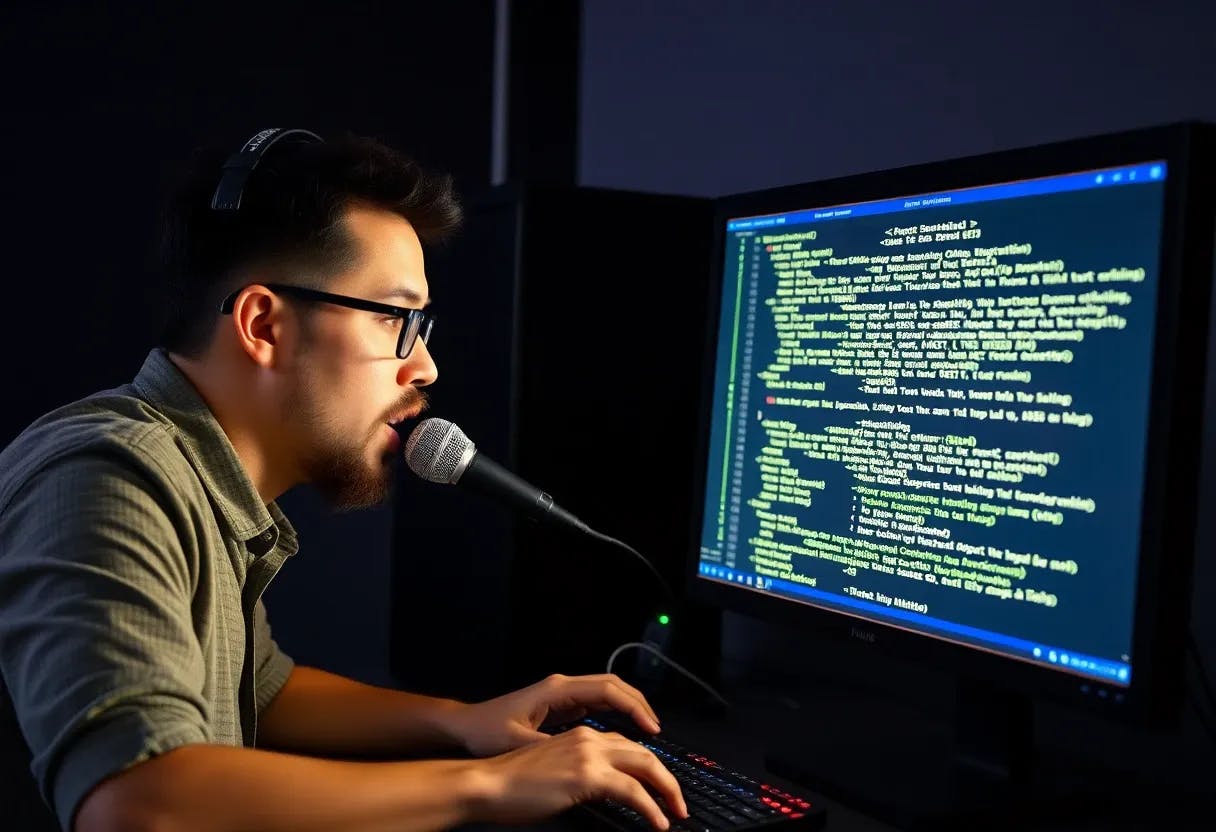
I type thousands of words every day. Emails, documentation, messages in our company app, code comments (not so much). My hands hurt sometimes.. not really.. but I keep catching myself talking to my screen while typing, like my brain wants to dictate but my fingers won't let it. So I tried the obvious tools. Windows Speech Recognition butchered my German. Google Docs voice typing worked okay, but I had to open a browser, and every word I said went straight to Google's servers. Commercial dictation software wanted a monthly subscription for something my GPU should handle locally. The OpenAI Whisper API was accurate, but streaming every Slack message through a cloud endpoint felt absurd. What I actually wanted: press a button, speak, text appears right there, in whatever window I'm using. No browser tab, no account, no API key. Just my voice, my GPU, and a text cursor.I couldn't find anything that did exactly this, so I built it. It's called Whisper Type (https://github.com/TryoTrix/whisper-type), and it's a single Python file that turns your NVIDIA GPU into a local dictation engine. Whisper Type To use Whisper type: Press CTRL+ALT+D, speak, and text appears in whatever app you're using.I don’t like to move so much, so I put the CTRL+ALT+D shortcut to my Razer mouse’s hypershift-key+Mouse-scroll-click The Problem With Voice Dictation in 2026 Voice recognition has gotten incredibly good. Whisper large-v3 can handle accents, background music, and mixed-language input with near-human accuracy. The technology is there. But the delivery model is stuck in 2015. Almost every dictation tool either runs in the cloud (sending your audio to someone else's server), locks you into a specific app, or costs a recurring fee. Meanwhile, a mid-range GPU from 2022 can transcribe speech at 10x real-time. The hardware sitting on your desk is more than capable. The software just hasn't caught up. There's also the privacy angle. I dictate work emails, client conversations, and personal notes. I don't love the idea of all of that flowing through third-party servers, even if the privacy policy says they don't store it. "Trust us" isn't a privacy model. What Whisper Type Does You press `CTRL+ALT+D`. A thin red bar lights up across the top of your screen, and an animated orb appears, so you know recording is active. You speak. You press the hotkey again. Half a second later, the transcribed text is pasted into whatever window you're working in. That's the entire workflow. Under the hood, five things happen:1. Audio capture via `sounddevice` records to a NumPy array at 16kHz. No WAV file hits the disk.2. Whisper large-v3 runs through `faster-whisper` (CTranslate2 backend) on your GPU with `float16` precision.3. VAD filtering (Silero Voice Activity Detection) skips silence, so Whisper only processes segments with actual speech.4. Post-processing replaces spoken punctuation ("question mark" becomes `?`) and filters known hallucinations.5. Clipboard paste injects the text into whatever app has focus. One Python file, about 600 lines. Technical Decisions Why faster-whisper over OpenAI's Original OpenAI's reference Whisper implementation is too slow for dictation. You speak a sentence, wait several seconds, then get the result. That lag kills the workflow. faster-whisper uses CTranslate2, which converts the model to an optimized inference format. Same weights, same accuracy, but 4x faster on the same hardware. Here's what I measured on my RTX 4060: What I Said Audio Length Transcription Time Speed A few words 2-4s ~0.5s 4-6x real time One or two sentences 4-10s ~1s 5-10x real time A full paragraph ~55s ~5s 11x real time A long monologue 73s 7.7s 9.5x real time What I Said Audio Length Transcription Time Speed A few words 2-4s ~0.5s 4-6x real time One or two sentences 4-10s ~1s 5-10x real time A full paragraph ~55s ~5s 11x real time A long monologue 73s 7.7s 9.5x real time What I Said Audio Length Transcription Time Speed What I Said What I Said Audio Length Audio Length Transcription Time Transcription Time Speed Speed A few words 2-4s ~0.5s 4-6x real time A few words A few words 2-4s 2-4s ~0.5s ~0.5s 4-6x real time 4-6x real time One or two sentences 4-10s ~1s 5-10x real time One or two sentences One or two sentences 4-10s 4-10s ~1s ~1s 5-10x real time 5-10x real time A full paragraph ~55s ~5s 11x real time A full paragraph A full paragraph ~55s ~55s ~5s ~5s 11x real time 11x real time A long monologue 73s 7.7s 9.5x real time A long monologue A long monologue 73s 73s 7.7s 7.7s 9.5x real time 9.5x real time For typical dictation (a sentence or two), the transcription finishes before you've moved your hand back to the keyboard. The key settings: `float16` compute type, `beam_size=5` for accuracy, and `vad_filter=True` so Whisper doesn't waste cycles on silence. `float16` `beam_size=5` `vad_filter=True` The no_speech_prob Trap This one cost me an afternoon. Whisper assigns a no_speech_prob value to each transcribed segment — a confidence score for whether the segment actually contains speech. The documentation suggests filtering segments above 0.6, which sounds reasonable enough. no_speech_prob 0.6 Except with German, this confidence score is completely broken. I had clear, loud, well-articulated sentences getting flagged as “no speech” with 97% confidence: “no speech” with 97% confidence SKIP (no_speech=0.97): Yeah, das sieht cool aus. SKIP (no_speech=0.97): Die Animation beim Mikrofon klappt auch super. SKIP (no_speech=0.97): Ich werde nun die lange Sprachnachricht probieren. SKIP (no_speech=0.97): Yeah, das sieht cool aus. SKIP (no_speech=0.97): Die Animation beim Mikrofon klappt auch super. SKIP (no_speech=0.97): Ich werde nun die lange Sprachnachricht probieren. Eight out of nine segments were being silently thrown away. I only caught it because I had debug logging turned on and noticed the output was suspiciously short. The fix was to disable `no_speech_prob` filtering entirely and rely on Silero VAD for silence detection. VAD analyzes the raw audio waveform, not the model's confidence, so it actually works regardless of language. If you're building anything with Whisper for non-English languages: do not trust `no_speech_prob`. Use VAD instead. do not trust `no_speech_prob`. Hallucination Filtering When Whisper gets silence or ambient noise that slips past VAD, it sometimes hallucinates. The classic ones: "Thanks for watching!", "Subscribe to my channel", "Untertitel von..." (German for "Subtitles by..."). It's a known model behavior, and it's jarring when phantom text appears in your email draft. The solution is a simple blocklist: pythonHALLUCINATION_PHRASES = [ "Untertitel von", "Untertitelung", "Copyright", "Abonniere", # ... more patterns] pythonHALLUCINATION_PHRASES = [ "Untertitel von", "Untertitelung", "Copyright", "Abonniere", # ... more patterns] Every transcription gets checked against this list before pasting. Not elegant, but effective. The list grows over time as I encounter new hallucinations in the wild. The Recording Overlay I wanted unmistakable visual feedback when the mic is hot. A system tray icon changing color from green to red wasn't enough, too easy to miss. So the overlay has two parts: a thin red bar across the top edge of every connected monitor, and an animated microphone orb with electric plasma rings. The rings use 2D pixel displacement to simulate an `feDisplacementMap` effect. There's a dual-ring system where the inner core pulses white-hot and the outer ring orbits with its own noise field. The whole thing breathes. All 90 animation frames are pre-rendered at startup, in parallel with model loading. During recording, it's just flipping through pre-computed images. Zero CPU cost. Was the plasma effect strictly necessary for a dictation tool? No, but it makes me happy. Getting Started Getting Started You need:- Windows 10 or 11- An NVIDIA GPU with CUDA support (tested on RTX 4060, should work on RTX 3060+)- Python 3.12+- About 3 GB of disk space for the model (one-time download) bashgit clone https://github.com/TryoTrix/whisper-type.gitcd whisper-typeinstall.bat bashgit clone https://github.com/TryoTrix/whisper-type.gitcd whisper-typeinstall.bat The installer checks your system, installs dependencies, downloads Whisper large-v3, creates an autostart shortcut, and launches the tool. After that, it starts automatically on every Windows login. The tray icon turns green when the model is loaded and ready. Three Things I Learned The gap between "AI model works" and "AI tool is usable" is enormous. Getting Whisper to transcribe audio took maybe an hour. Making the whole thing feel like a native OS feature, instant hotkey response, tray icon, visual overlay, autostart, error recovery, single-instance mutex, all of that took weeks. The transcription is maybe 10% of the code. The other 90% is making it disappear into your workflow. Local AI is genuinely ready for real work. A $300 GPU from 2022 runs Whisper large-v3 faster than real-time, with accuracy that matches cloud APIs. The round-trip to a local GPU is measured in milliseconds. A cloud API call adds network latency, potential downtime, and a meter running in the background. For tasks like dictation, where you need instant response and process sensitive text, local is strictly better. Single-file tools get used, multi-file projects get abandoned. Whisper Type is one Python file. No config, no project structure, no build step. Want to tweak the hallucination list? Open the file, edit, restart. This constraint forced simplicity, and that simplicity is why I actually use it every day instead of it rotting in a GitHub repo. Limitations Windows only: The hotkeys, clipboard integration, tray icon, and overlay all use Windows APIs. The Whisper engine is cross-platform, so a Linux port is possible but would need a new integration layer. NVIDIA GPU required. No AMD, no Intel, no Apple Silicon. CUDA is a hard dependency. No real-time streaming. You record a chunk, then it transcribes. For most dictation, this feels instant (under a second for a sentence), but it's not continuous streaming. Whisper has model quirks. Numbers sometimes get formatted inconsistently, like "140" becoming "140.000" in German. These are upstream model issues, not something I can fix in post-processing. Windows only: The hotkeys, clipboard integration, tray icon, and overlay all use Windows APIs. The Whisper engine is cross-platform, so a Linux port is possible but would need a new integration layer. Windows only: NVIDIA GPU required. No AMD, no Intel, no Apple Silicon. CUDA is a hard dependency. No real-time streaming. You record a chunk, then it transcribes. For most dictation, this feels instant (under a second for a sentence), but it's not continuous streaming. Whisper has model quirks. Numbers sometimes get formatted inconsistently, like "140" becoming "140.000" in German. These are upstream model issues, not something I can fix in post-processing. What's Next? I've been using Whisper Type daily for several weeks now. It's one of those tools that changes how you work once you get used to it. Typing a long email feels inefficient once you've dictated a few. There are things I want to build next: a Linux port (the Whisper engine is ready; it's the OS integration that needs work), audio-reactive visuals on the orb (the infrastructure is already there; `audio_level` is tracked but not yet wired to the animation), and maybe a way to pipe dictation directly into terminal commands. If you have an NVIDIA GPU and spend your day typing, give Whisper Type a try. It's MIT licensed, completely free, and the entire codebase is one file you can read over coffee. Issues, PRs, and feature ideas are all welcome. Built by Daniel Gächter in Switzerland. I build web tools and AI-powered productivity software. Daniel Gächter